Website. Your public storefront.
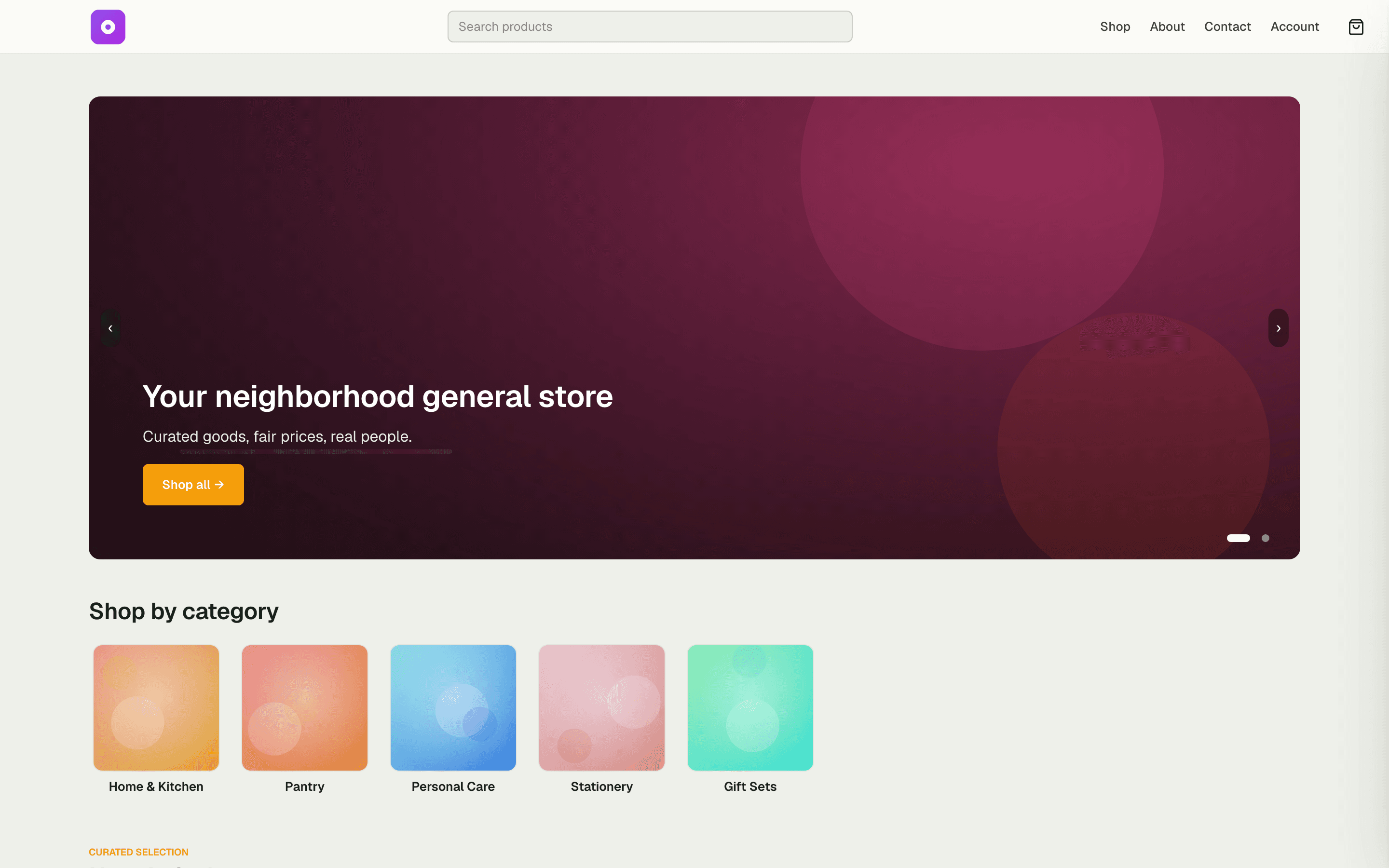
Launch a branded public site at your own URL — the surface your shop, bookings, and events all live on. Pick a look, publish your pages, and connect a custom domain without writing a line of code.
6
brand presets, applied in one click
3
modules plug into one public surface
0
lines of code to go live
Capabilities
Everything the module does
Website is the umbrella module for your space's public-facing surface — the storefront chrome that wraps Ecommerce, Public Bookings, and Events. Enable it to expose a branded public site at your space's URL with shared navigation, theming, and SEO. Sub-modules (Ecommerce, Public Bookings, Events) plug into this surface when independently enabled.
Public storefront
Branded public-facing site at your space's URL with shared navigation and footer chrome.
Branding & dark mode
Theme tokens, logo, and per-space dark-mode support applied across every public surface.
SEO + Open Graph
Per-page meta tags, Open Graph cards, and sitemap so your storefront ranks and shares cleanly.
Multi-tenant URL resolution
Custom domains and subdomains route to the correct space's public surface automatically.
01
Brand it without a developer
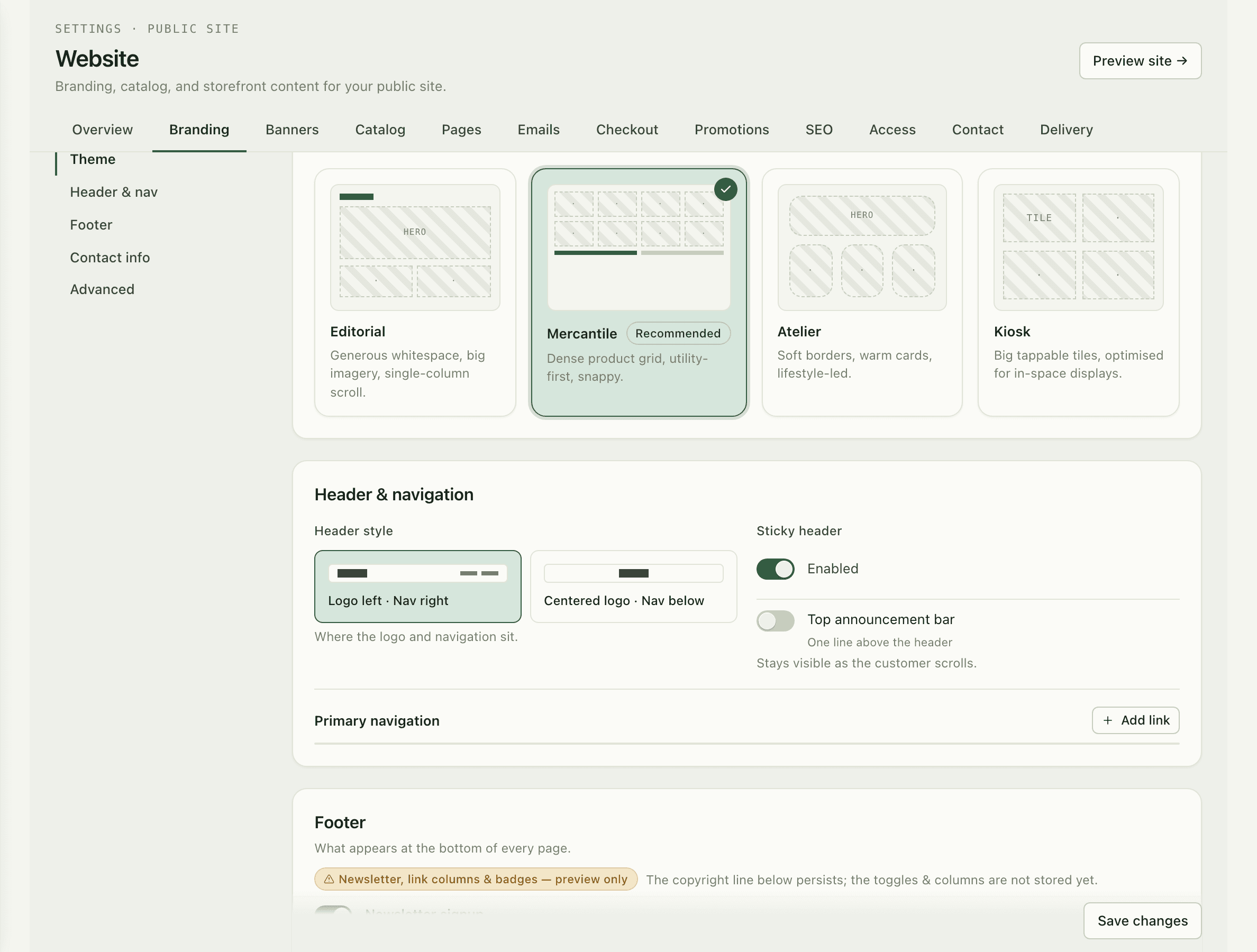
Everything visitors see is styled from the dashboard — logo, colors, fonts, header, and footer. Start from a brand preset like Sage, Ink, Rust, Ocean, Plum, or Olive, or fine-tune every token on the Mercantile theme until it looks like you.
- Six ready-made brand presets: Sage, Ink, Rust, Ocean, Plum, Olive
- Theme, colors, fonts, header, and footer edited from the dashboard
- Changes publish to the live site — no deploys, no code
02
Your own domain, handled
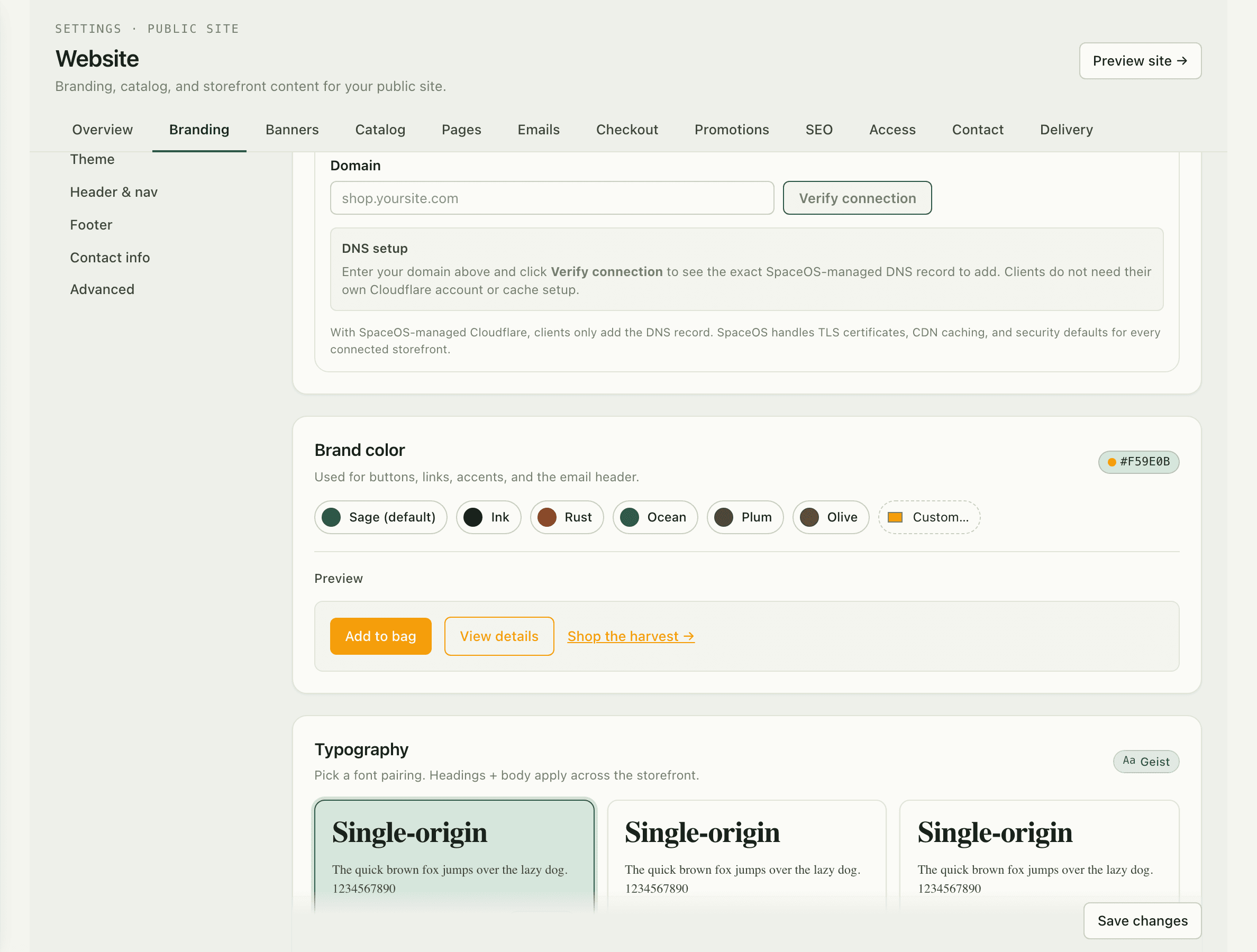
Point shop.yourbrand.com at your storefront and SpaceOS takes it from there — Cloudflare-managed custom domains with certificates provisioned for you. Until then, your space's SpaceOS URL works from day one.
03
Found and shared cleanly
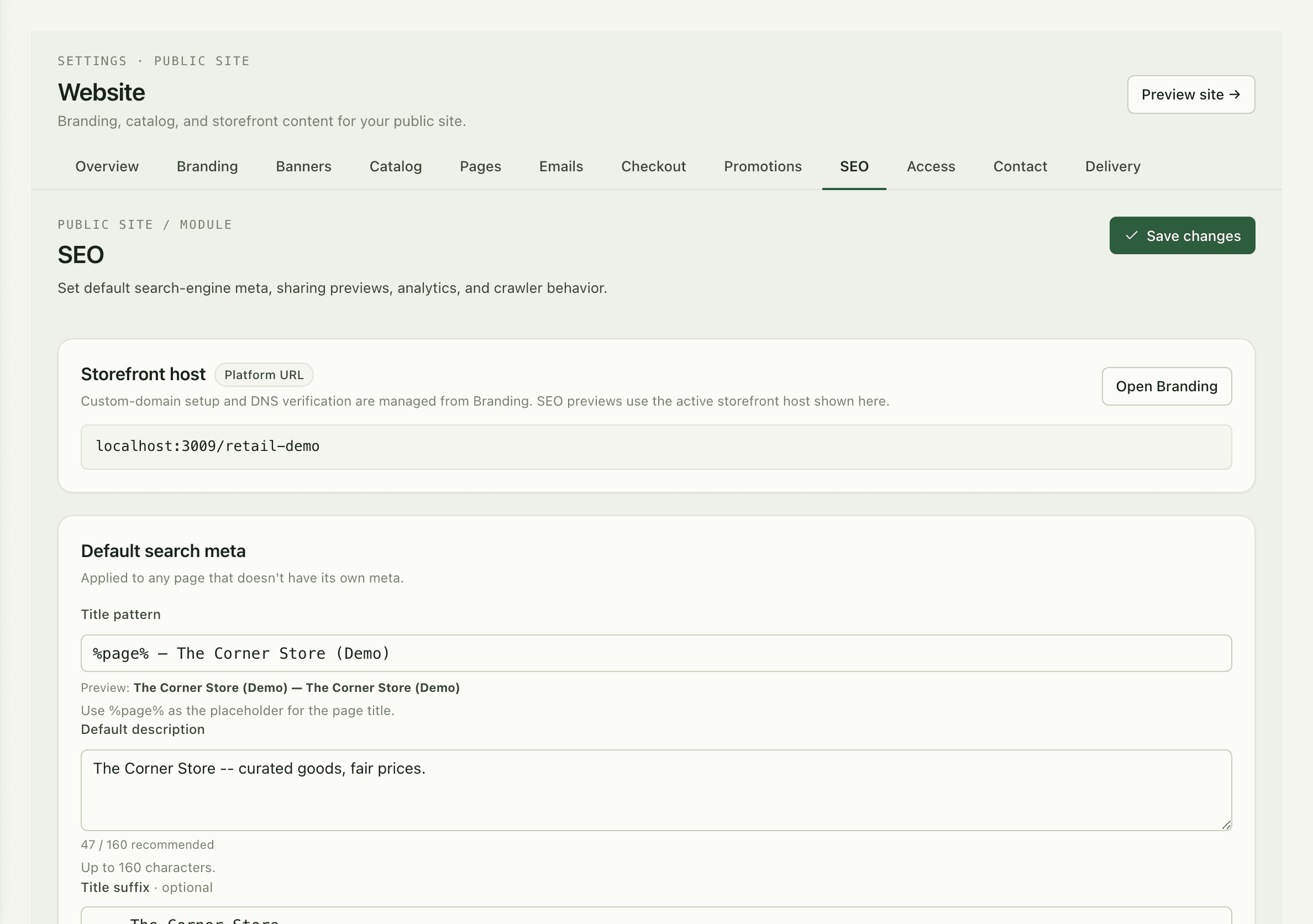
SEO comes standard, not as a plugin: per-page meta tags, Open Graph cards for rich link previews, and an auto-generated sitemap. When someone shares your product or event on social, it arrives looking finished.
How it works
Up and running in minutes
1
Pick your look
Choose a brand preset or set your own colors, fonts, and logo in the branding hub.
2
Build your pages
Home, about, contact, and custom pages — edited from the dashboard, published instantly.
3
Connect your domain
Add a custom domain and SpaceOS handles DNS activation and certificates via Cloudflare.
4
Switch on commerce
Enable Ecommerce, Public Bookings, or Events and they appear on the same surface, in the same brand.
“I set the colors, uploaded the logo, and connected our domain over one coffee. Customers think we hired an agency — it's just the dashboard.”
Rosa Delgado
Owner, The Corner Store
FAQ
Common questions
Do I need a developer to change the site?
No. Themes, colors, fonts, pages, header, and footer are all edited from the dashboard and publish straight to the live site.
Can I use my own domain?
Yes — add a custom domain and SpaceOS manages activation and certificates through Cloudflare. Your SpaceOS subdomain keeps working alongside it.
What do Ecommerce, Public Bookings, and Events add?
Website is the surface they plug into. Enable any of them and your shop, booking pages, or event calendar appear on the same branded site with shared navigation.
Works better together
One need, one module
Every module shares the same customers, catalog, and books — switch one on and it plugs into everything you already run.
Switch on Website today.
It plugs straight into the customers, catalog, and billing you already run on SpaceOS.
Free to start · No credit card required · Cancel anytime