Kitchen. Order, prep, deliver.
Members order drinks and snacks from their phone; tickets land on a live staff board seconds later. Stock deducts itself, out-of-stock items disable themselves, and the whole tab bills to the company at month-end.
5s
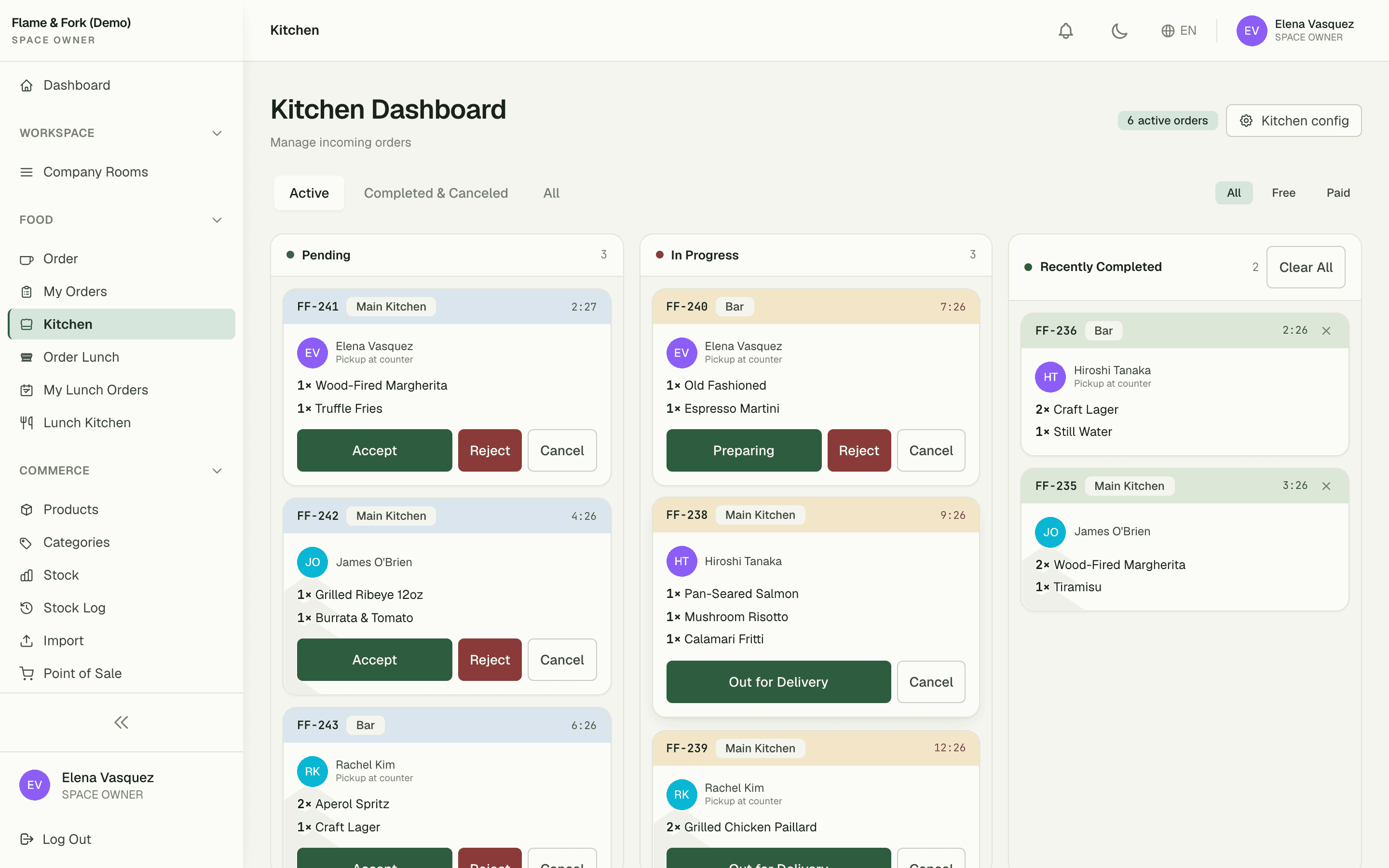
live board refresh — no manual reload
0
cash handled at the counter
2+
stations per space (Main Kitchen, Bar)
Capabilities
Everything the module does
Kitchen turns your pantry or café into an in-app ordering surface. Build a menu of drinks and snacks, let members order from their phone, and route tickets to staff dashboards for prep. Inventory deducts automatically when an order is fulfilled and the cost can be billed back to the member's company.
Kitchen menu
Curated catalog of drinks, snacks, and meals with prices and availability windows.
Order workflow
Tickets move through Received → Preparing → Ready → Delivered states with staff actions.
Staff dashboard
Real-time queue view for baristas and kitchen staff with sound alerts on new orders.
Stock controls
Optional per-item stock tracking that auto-disables an item when it runs out.
Bill-to-company
Orders attached to a member can be billed to their company at month-end.
01
A live board that runs the queue
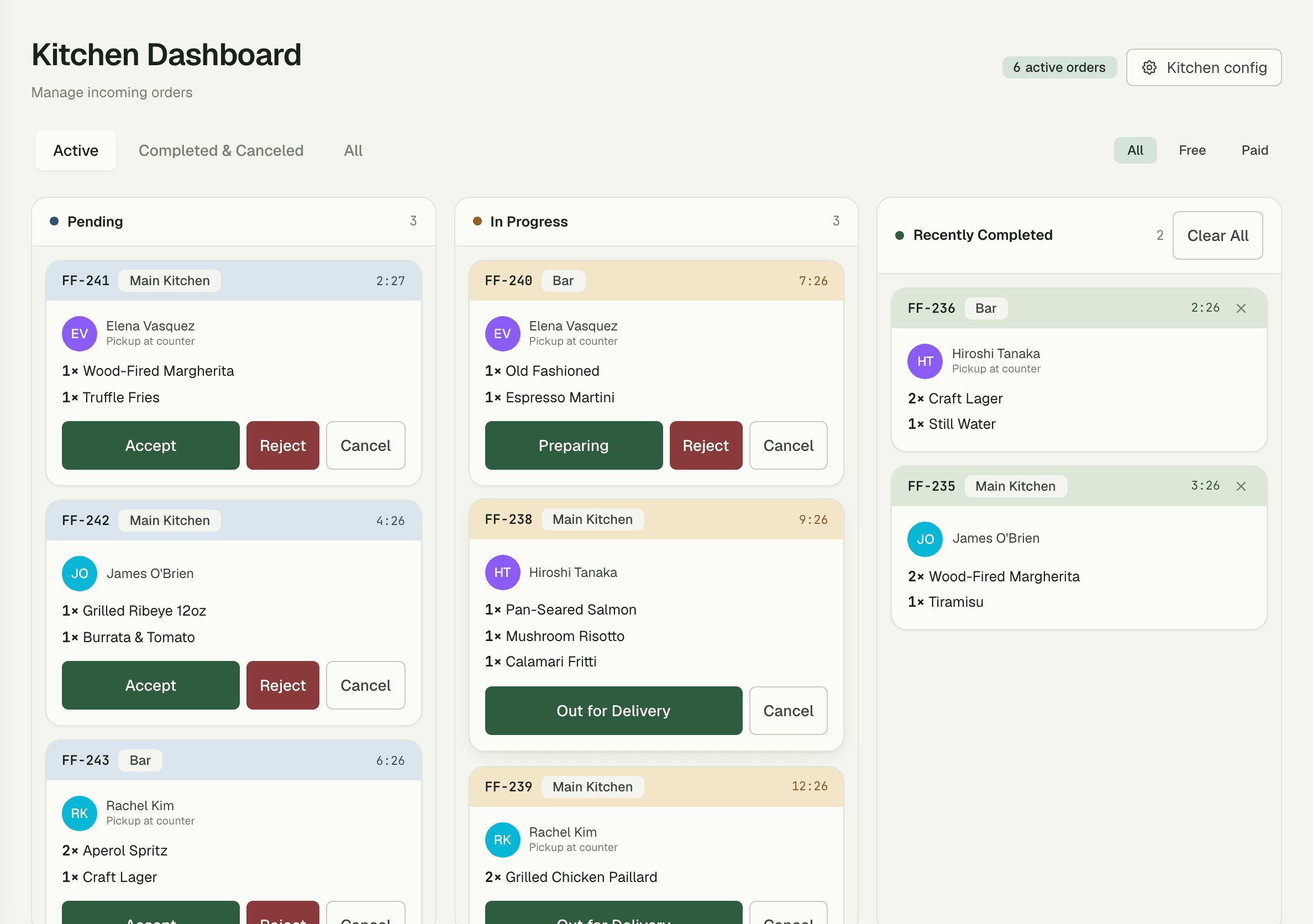
Every order lands on a staff Kanban — Pending, In Progress, Recently Completed — that polls every few seconds, so the barista never refreshes a page mid-rush. Tiered sound alerts escalate as tickets age: a gentle chime for a fresh order, an insistent one for the ticket that's been waiting too long.
- Kanban columns: Pending → In Progress → Recently Completed
- Escalating audio alerts as tickets age in the queue
- Route tickets to multiple stations — Main Kitchen, Bar, and more
02
Ordering that fits in a pocket
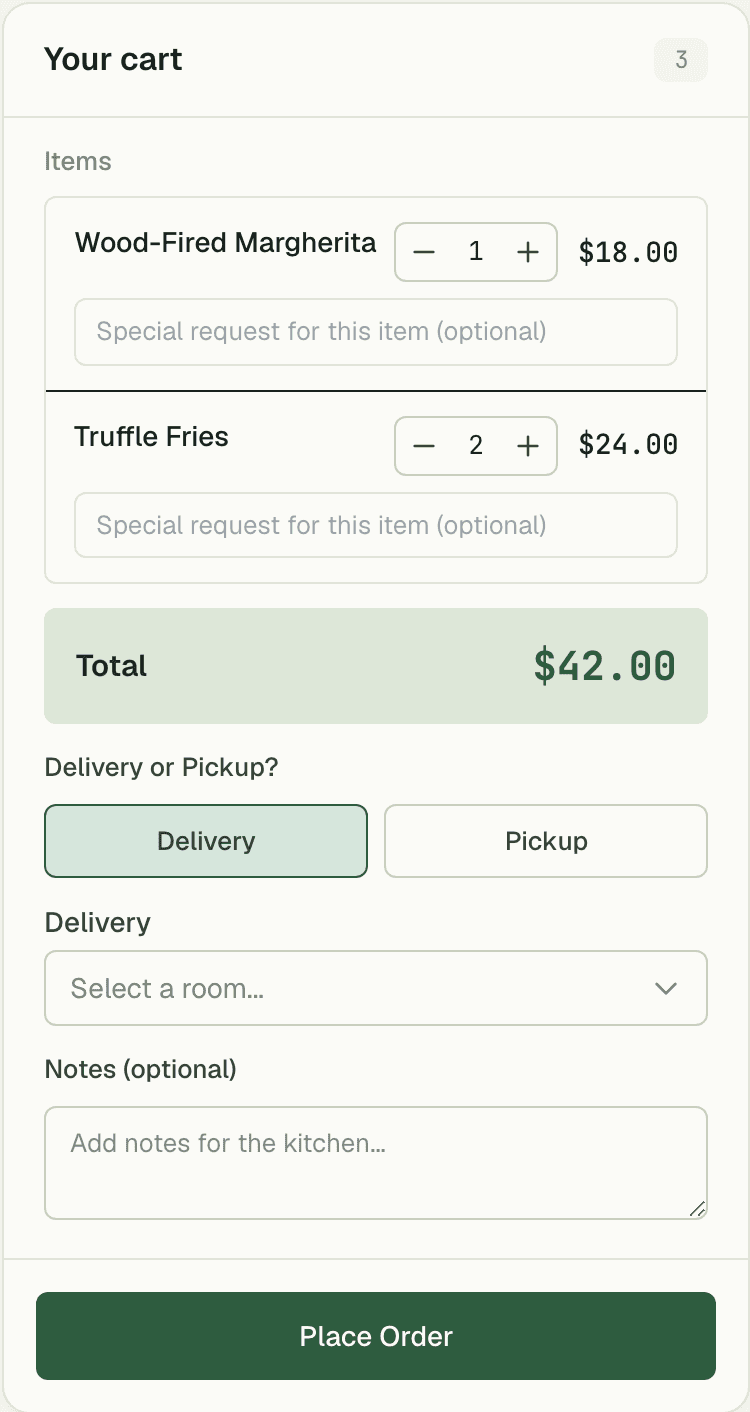
Members browse the menu, build a cart, and check out from their phone without leaving their desk or queuing at the counter. No cash changes hands — each order attaches to the member and rolls into their company's month-end bill automatically.
03
Stock that manages itself
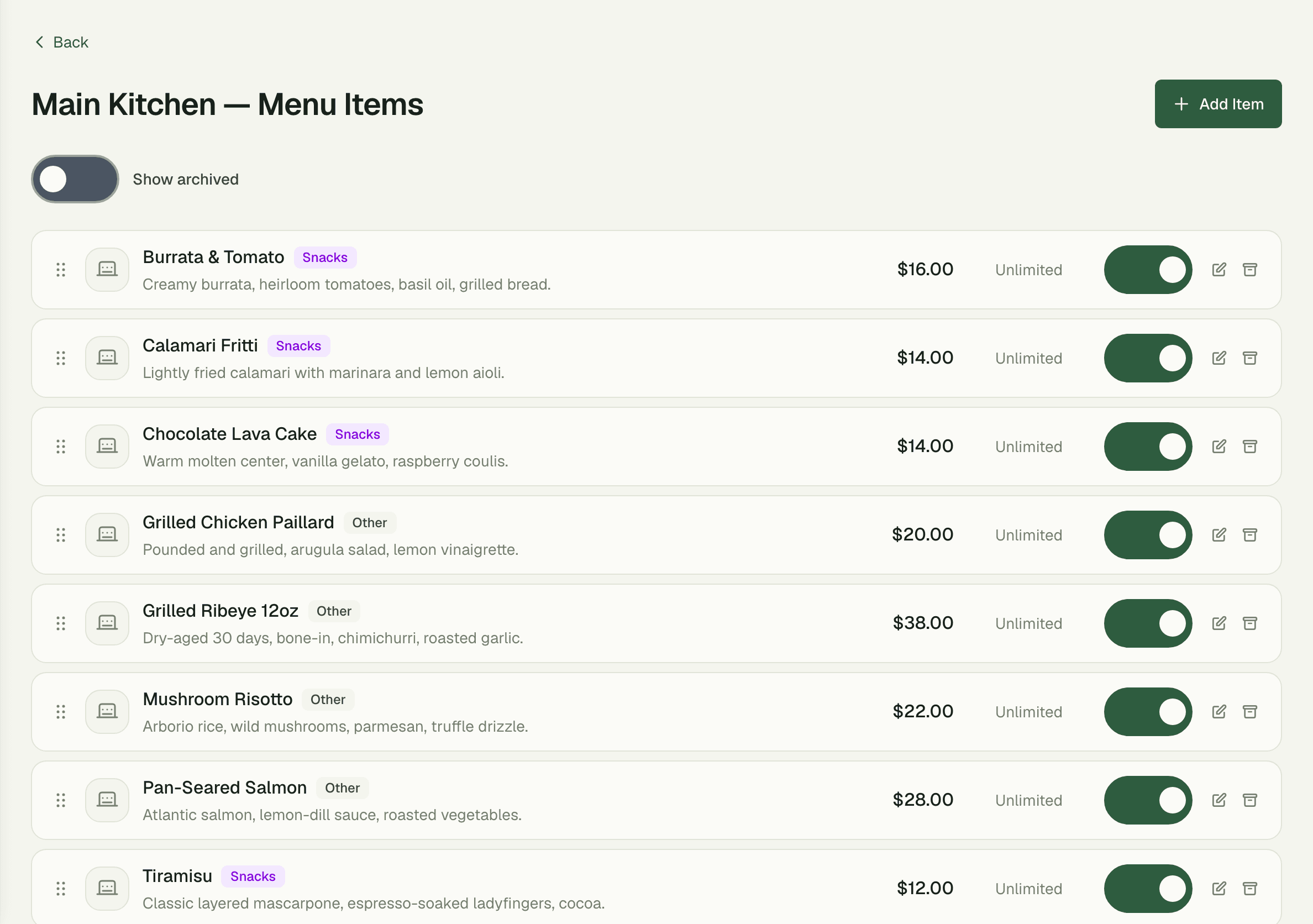
Fulfilling an order deducts stock in the same click — no separate inventory chore at close. When the last flat white's milk runs out, the item disables itself on the menu instantly, so nobody orders something the kitchen can't make.
- Automatic stock deduction on fulfilment
- Items auto-disable the moment they hit zero
- Per-item prices and availability windows on the menu
How it works
Up and running in minutes
1
Member orders from their phone
Browse the menu, add to cart, check out — no counter queue, no cash.
2
Ticket hits the station board
The order appears on the right station's Kanban within seconds, with a sound alert.
3
Staff prep and progress the ticket
Drag it from Pending to In Progress to Recently Completed as it moves through the kitchen.
4
Fulfilment closes the loop
Stock deducts automatically and the charge lands on the company's month-end bill.
“Service used to mean shouting orders over the pass. Now six active tickets sit on one screen, the board chimes when something's waited too long, and nobody touches cash all day.”
Rosa Delgado
Head of Service, Flame & Fork
FAQ
Common questions
How do staff know a new order came in?
The staff board polls every few seconds and plays a sound alert on new tickets. Alerts are tiered — they escalate as a ticket ages, so a busy kitchen never silently loses an order.
Can I run more than one prep station?
Yes — set up multiple stations like Main Kitchen and Bar, each with its own board. Tickets route to the right station automatically based on the items ordered.
Do members pay at the counter?
No cash needed. Orders attach to the member and bill to their company at month-end through the Billing module — the counter stays a pickup point, not a till.
Works better together
One need, one module
Every module shares the same customers, catalog, and books — switch one on and it plugs into everything you already run.
Switch on Kitchen today.
It plugs straight into the customers, catalog, and billing you already run on SpaceOS.
Free to start · No credit card required · Cancel anytime