Lunch Orders. One menu, one prep list.
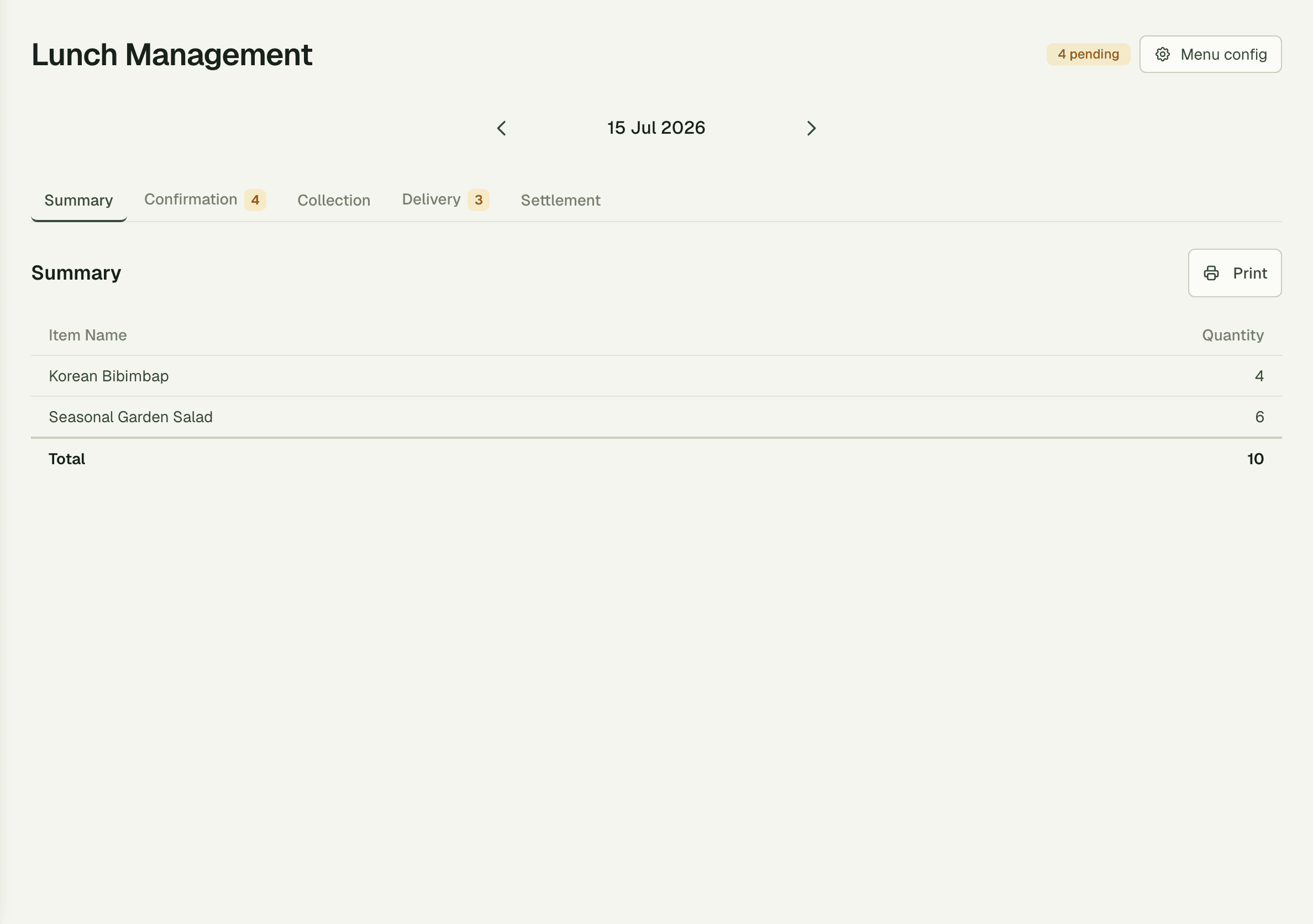
Run a daily catered-lunch program without the spreadsheet. Publish the day's menu, let members order until the cutoff, and hand the kitchen a single consolidated prep list — Bibimbap ×4, Garden Salad ×6, done.
1
prep list per day — not 40 tickets
10
meals summarized at a glance in the demo
1 click
to confirm or deliver a whole day
Capabilities
Everything the module does
Lunch Orders runs a daily catered-lunch program for your members. Publish tomorrow's menu, take orders until a configurable cutoff, and hand the kitchen a single prep list for the day. Designed for offices that serve a fixed lunch across the team rather than à-la-carte ordering.
Scheduled menus
Plan menus per day or per week with multiple options per meal.
Collection windows
Order acceptance cutoffs and pickup time windows enforced automatically.
Lunch orders
Members place their order from the daily menu; orders lock at the cutoff.
Kitchen prep view
Single consolidated list for the kitchen showing what to make and how many.
Bulk operations
Mark a whole batch as ready or cancel a day's orders in one click.
01
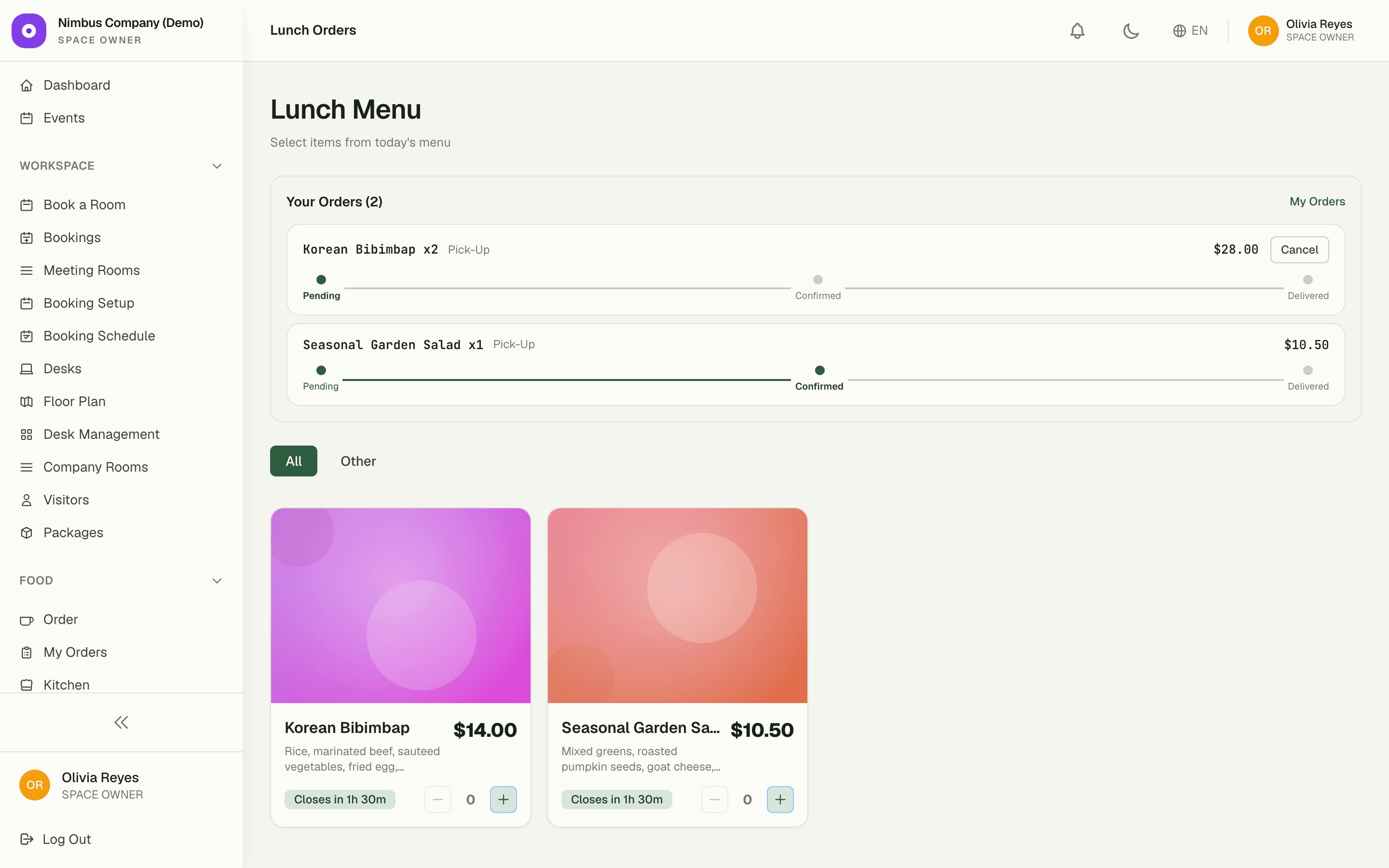
A cutoff everyone can see
Each day's menu carries a live countdown — "Closes in 1h 30m" — so members know exactly how long they have to order. When the cutoff hits, orders lock automatically and the kitchen can start prepping with a final headcount, not a moving target.
- Live "Closes in…" countdown badges on every menu
- Orders lock at the cutoff — no late stragglers
- Plan menus per day or per week, with multiple options
02
The kitchen gets totals, not tickets
Forty individual orders collapse into one consolidated prep list: Bibimbap ×4, Garden Salad ×6 — 10 meals total, one glance. The kitchen cooks in batches the way it actually works, instead of shuffling a stack of per-person tickets.
03
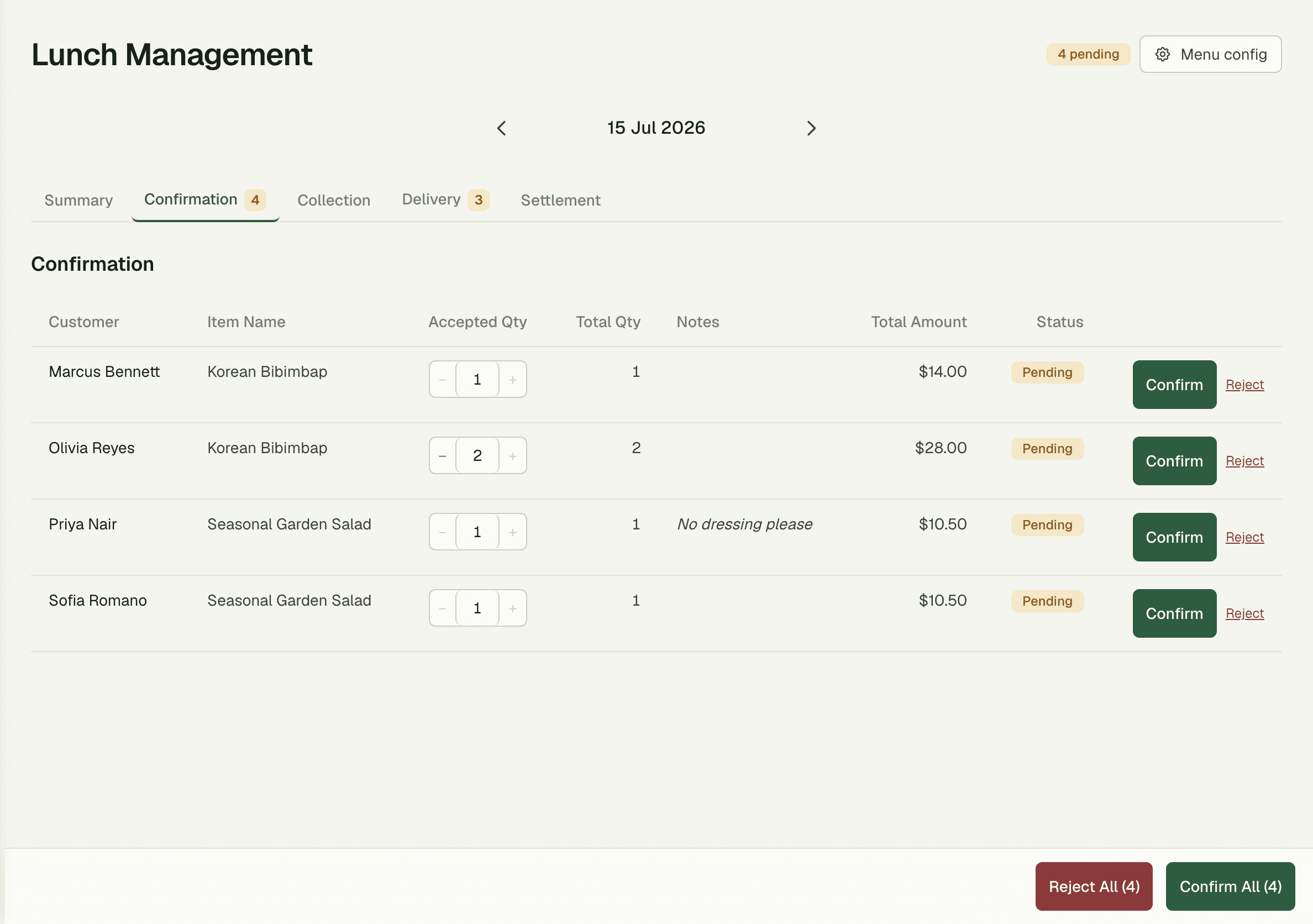
Close out the day in one click
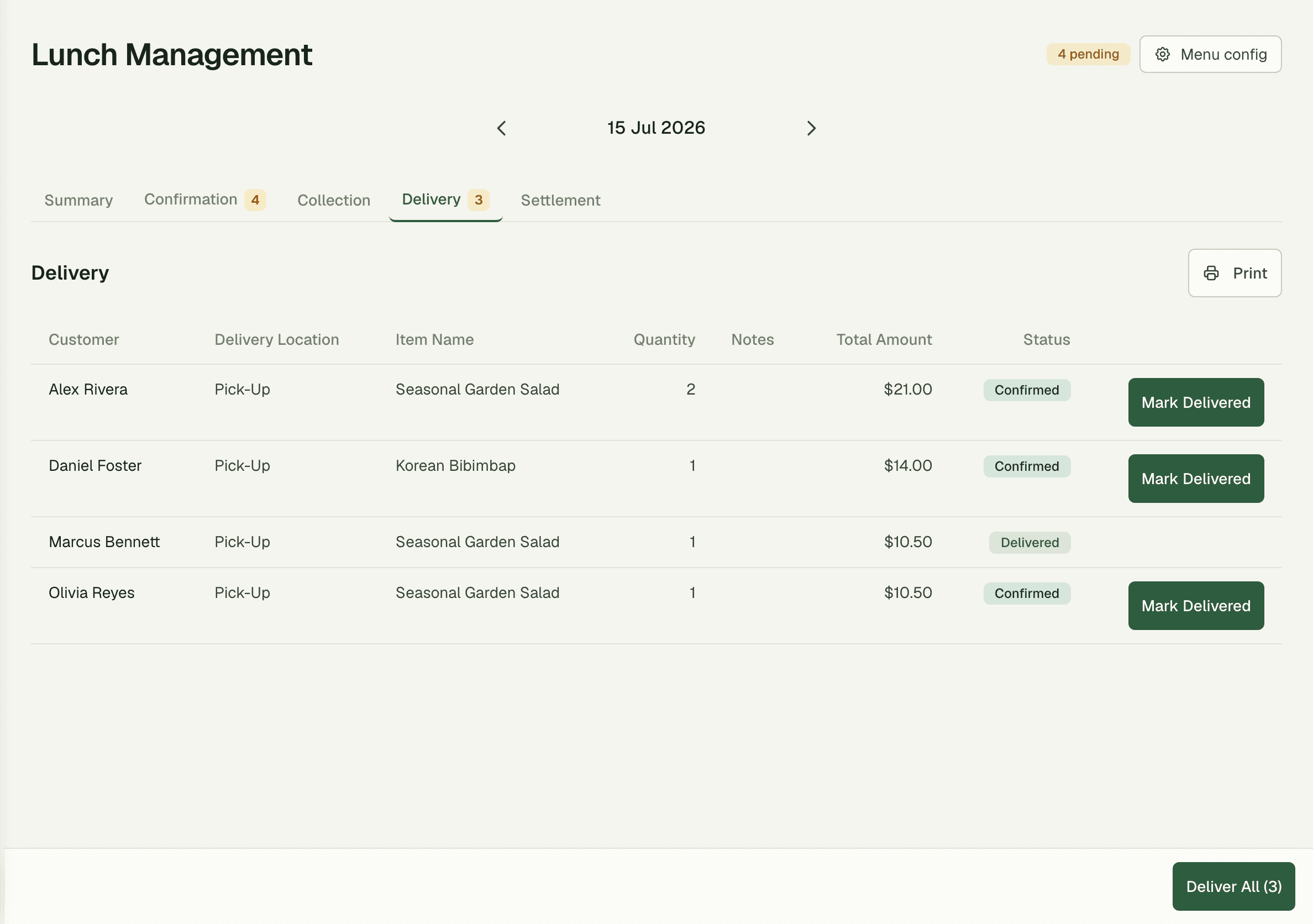
Bulk actions confirm, deliver, or clear an entire day's orders at once — no ticking checkboxes one member at a time. Members track their own order status from a personal history, so "is lunch here yet?" stops being a question for the front desk.
- Bulk confirm, deliver, or clear a full day
- Members see their own order history and status
- Cancel a day cleanly when catering falls through
“Lunch used to be a Slack thread, a spreadsheet, and a headcount that changed three times before noon. Now the menu closes at 10:30 sharp and the caterer gets one clean list.”
Priya Raman
Office Operations Manager, Nimbus Company
FAQ
Common questions
What happens when the order cutoff passes?
Orders lock automatically. Members see a live "Closes in…" countdown beforehand, and once it hits zero the day's headcount is final — the kitchen preps against a number that won't move.
Does the kitchen see every individual order?
It sees one consolidated prep list — each dish with a total count, like Bibimbap ×4 and Garden Salad ×6. Individual orders are still tracked per member for delivery and billing, but prep works from totals.
How is this different from the Kitchen module?
Kitchen is à-la-carte: members order drinks and snacks any time and tickets flow to a live board. Lunch Orders is a fixed daily program: one published menu, one cutoff, one prep list. Many spaces run both.
Works better together
One need, one module
Every module shares the same customers, catalog, and books — switch one on and it plugs into everything you already run.
Switch on Lunch Orders today.
It plugs straight into the customers, catalog, and billing you already run on SpaceOS.
Free to start · No credit card required · Cancel anytime