Payroll. Run pay, end to end.
Keep your employee roster, run periodic pay, and hand out payslips — with provident fund and progressive tax computed automatically on every run. No spreadsheet formulas to babysit, no deduction math at midnight.
8%
provident fund, deducted automatically
3
progressive tax bands applied per run
100%
of salary changes versioned
Capabilities
Everything the module does
Payroll manages your space's employees and pay runs end to end. Maintain an employee roster, run periodic payroll with statutory deductions (provident fund and tax slabs for Bangladesh in this release), and produce payslips. Amounts use exact decimal arithmetic with deductions rounded once at posting.
Employee roster
Maintain employees as standalone records independent of platform user accounts.
Pay runs
Run payroll per period with gross, deductions, and net computed in exact decimals.
Statutory deductions
Bangladesh provident fund and tax slabs applied automatically (TH/US configurable later).
Payslips
Generate a payslip per employee per run.
01
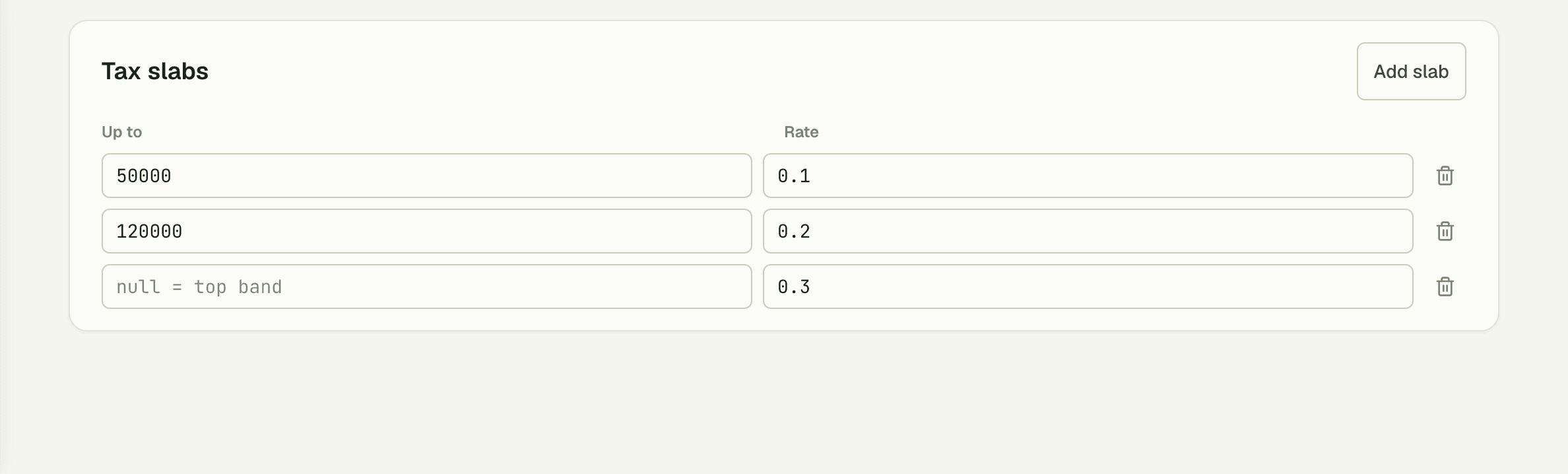
Statutory math, done for you
Every run applies the statutory rules automatically: 8% provident fund, a 24,000 tax-free threshold, then three progressive bands at 10%, 20%, and 30%. Mid-month joiners and leavers are prorated by calendar days, and each employee can carry their own overtime rate.
- PF 8% and progressive tax computed per employee, per run
- Proration by calendar days for partial periods
- Per-employee OT rates — no one-size-fits-all multiplier
02
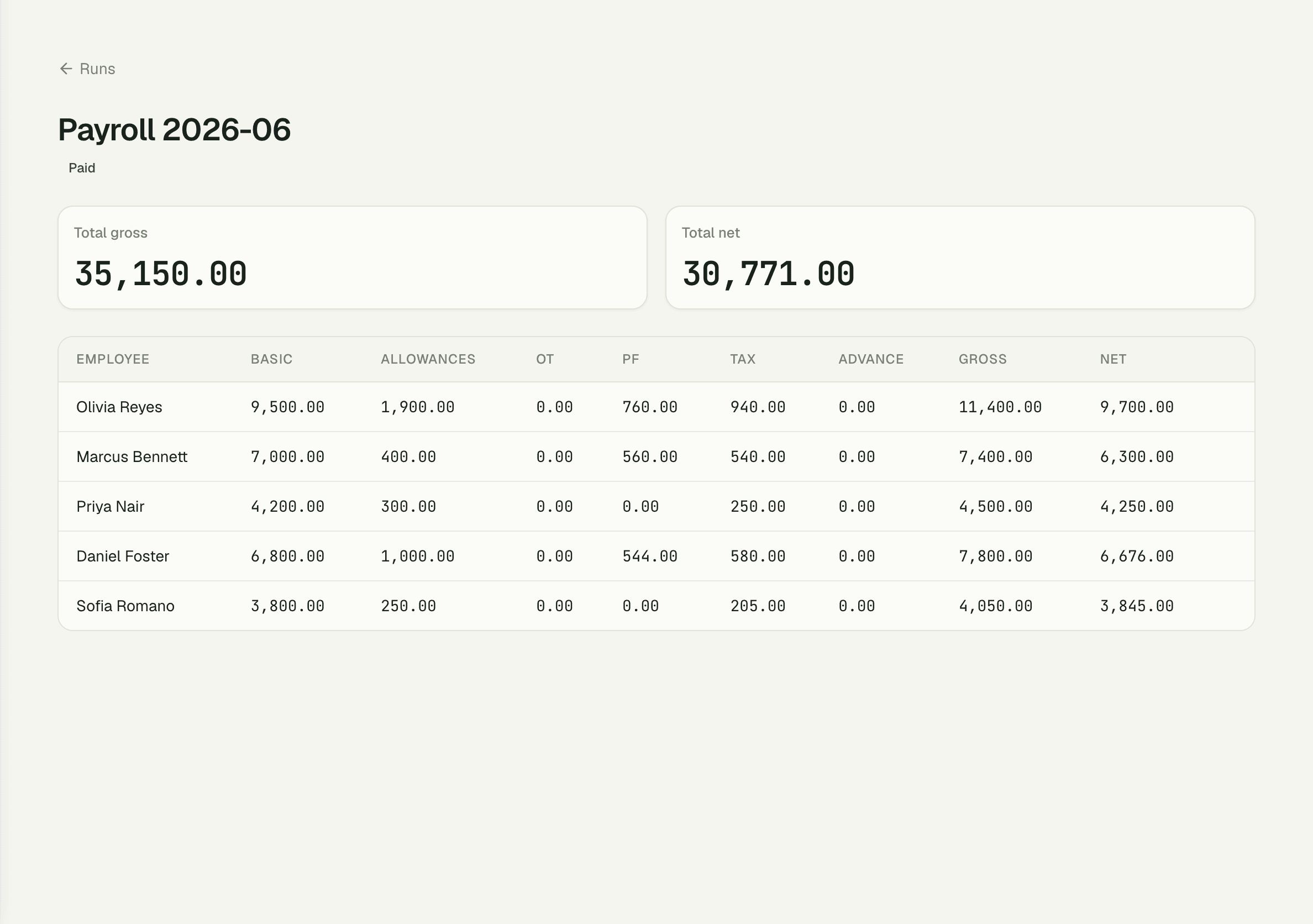
Payslips that show the work
Each run produces a payslip per employee with the full breakdown: Basic, Allowances, Overtime, PF, Tax, Advance, Gross, and Net. When someone asks why their net changed, the answer is on one page — not buried in a formula bar.
03
Advances and history, on record
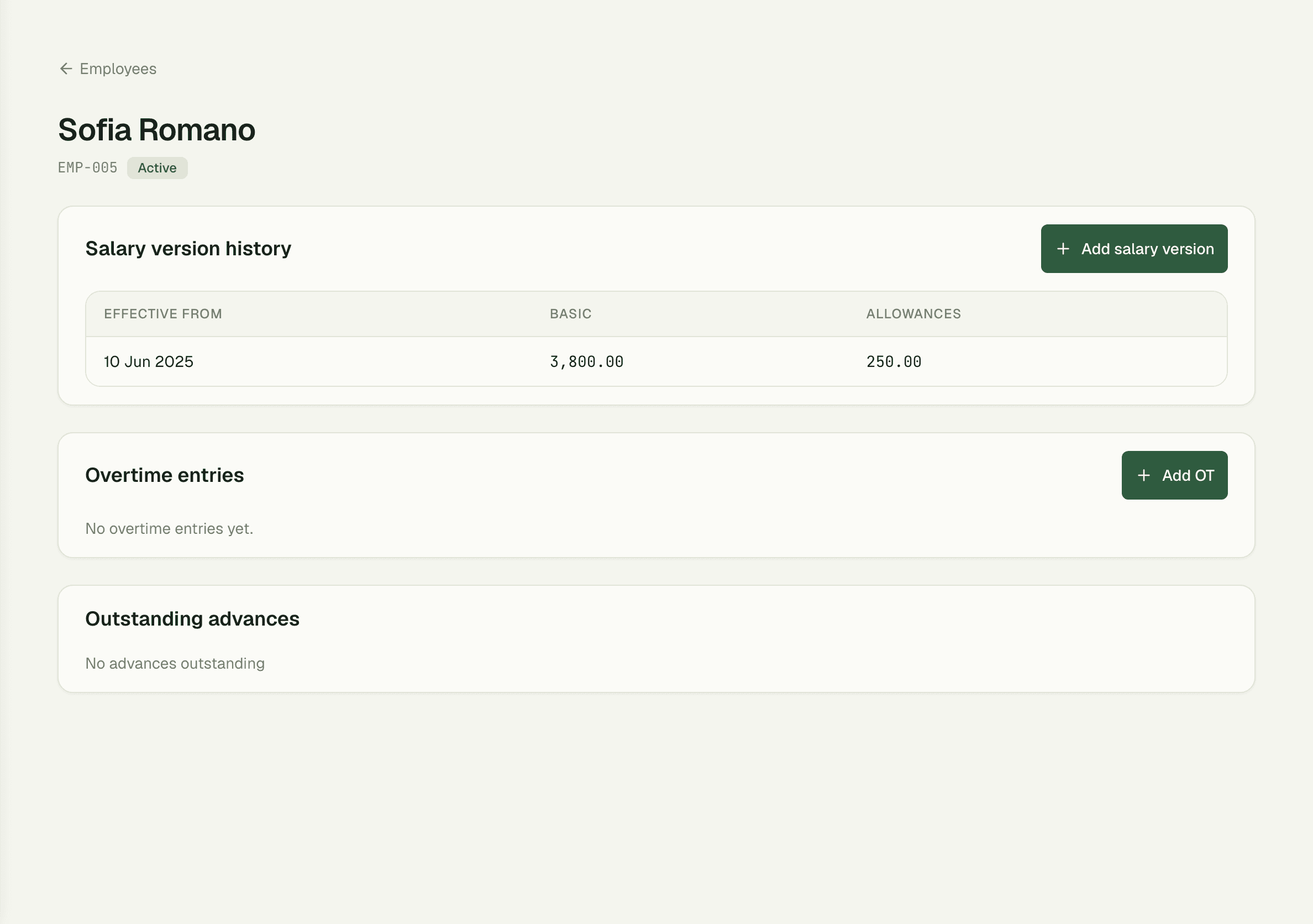
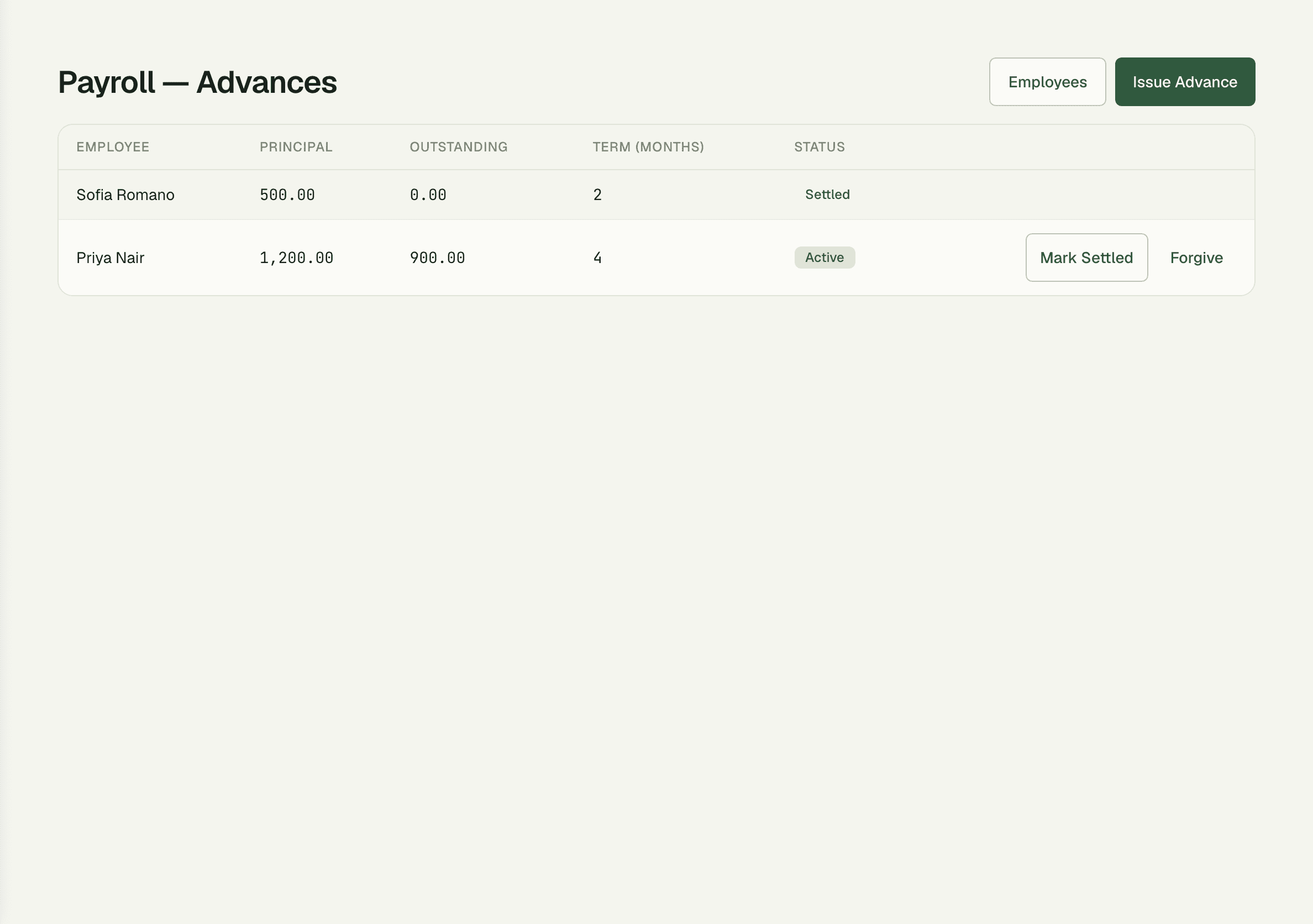
Salary advances go through an approval before they exist, then recover automatically against the next payslip's Advance line. And because every salary change and every pay run is versioned, you can always answer what was paid, when, and under which salary — even a year later.
- Advances require sign-off before disbursement
- Recovery lands on the payslip automatically
- Full audit trail of raises and past runs
How it works
Up and running in minutes
1
Build the roster
Add employees with basic salary, allowances, and their own overtime rate — no platform account required.
2
Start a pay run
Pick the period; gross, PF, tax, and advance recovery compute for everyone at once, prorated by calendar days where needed.
3
Review and adjust
Check each line — overtime hours, advances, partial months — before anything is final.
4
Post and hand out payslips
Finalize the run and every employee gets a payslip with the full Basic-to-Net breakdown, versioned forever.
“Payday used to be two evenings of spreadsheet formulas and one prayer. Now I start a run, review the lines, and post — the PF and tax bands are just right, every time.”
Farhan Osman
Operations Director, Nimbus Company
FAQ
Common questions
Do employees need SpaceOS accounts?
No — the roster keeps employees as standalone records, independent of platform user accounts. You can run payroll for staff who never log in.
What happens when someone joins mid-month?
Their pay is prorated by calendar days automatically, so a joiner on the 16th gets exactly the days they worked — no manual fraction math.
How are salary advances handled?
An advance goes through approval first, then recovers automatically as the Advance line on the next payslip. The employee's history shows both sides.
Works better together
One need, one module
Every module shares the same customers, catalog, and books — switch one on and it plugs into everything you already run.
Switch on Payroll today.
It plugs straight into the customers, catalog, and billing you already run on SpaceOS.
Free to start · No credit card required · Cancel anytime