Announcements. Broadcast what matters.
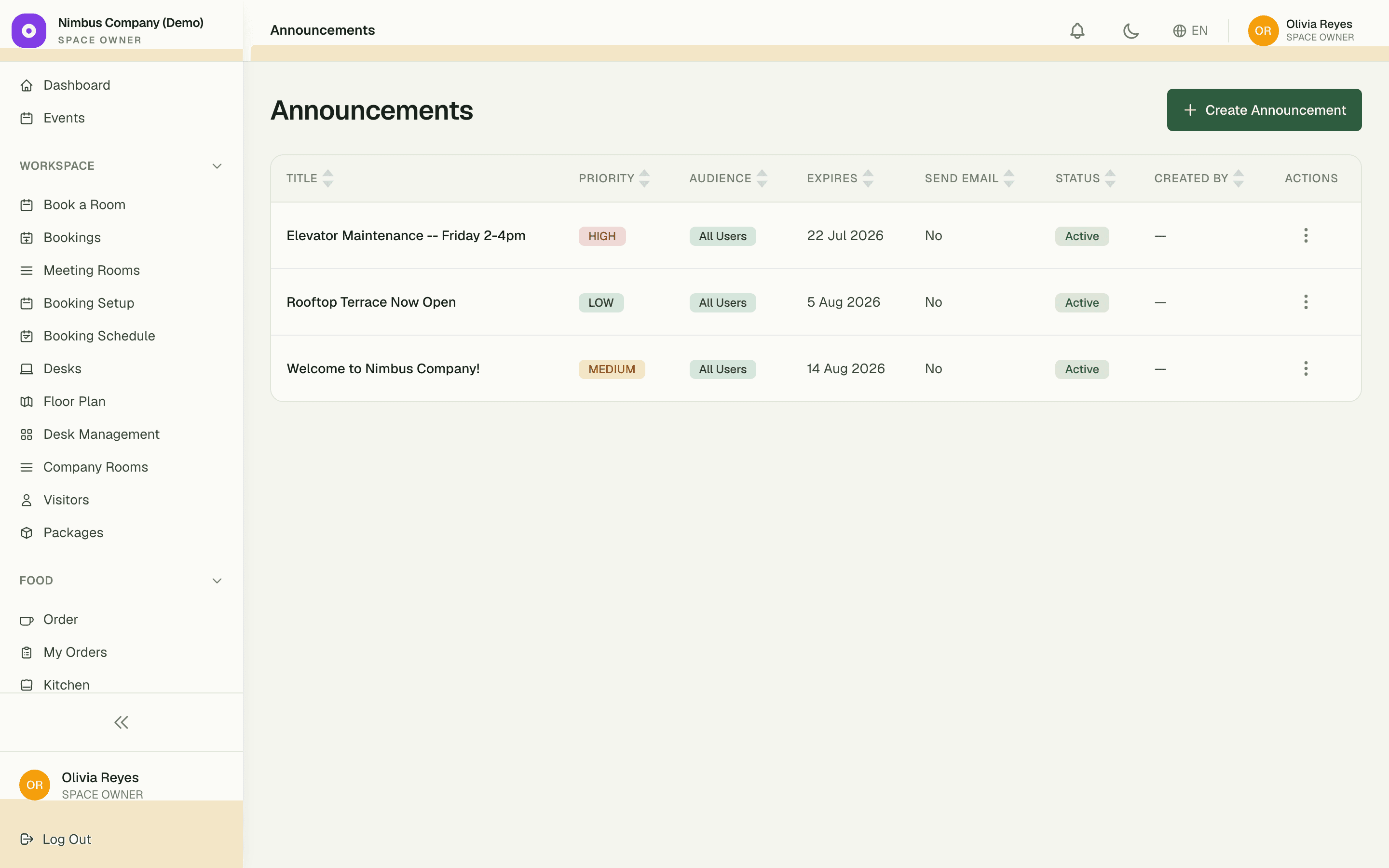
An in-app bulletin board for the notices email buries. Post it once, pick a priority, and the right people see it on their dashboard — then it retires itself when it's no longer true.
3
priority levels — High, Medium, Low
2,000
characters to say it properly
0
stale notices — expiry dates auto-retire them
Capabilities
Everything the module does
Announcements is your in-app bulletin board for operational updates. Post building-wide notices like "water shut off 2–4pm" or member-targeted news; readers see them on their dashboard and can dismiss when read. Cleaner than email for one-off broadcasts.
Posts
Title, rich body, optional image, and an expiry date so stale notices auto-disappear.
Priority levels
Mark a notice as Urgent to surface it above everything else on the dashboard.
Audience targeting
Show a post to all members, a specific company, or a specific role.
Read tracking
See who has and hasn't acknowledged each post.
01
Urgent means unmissable
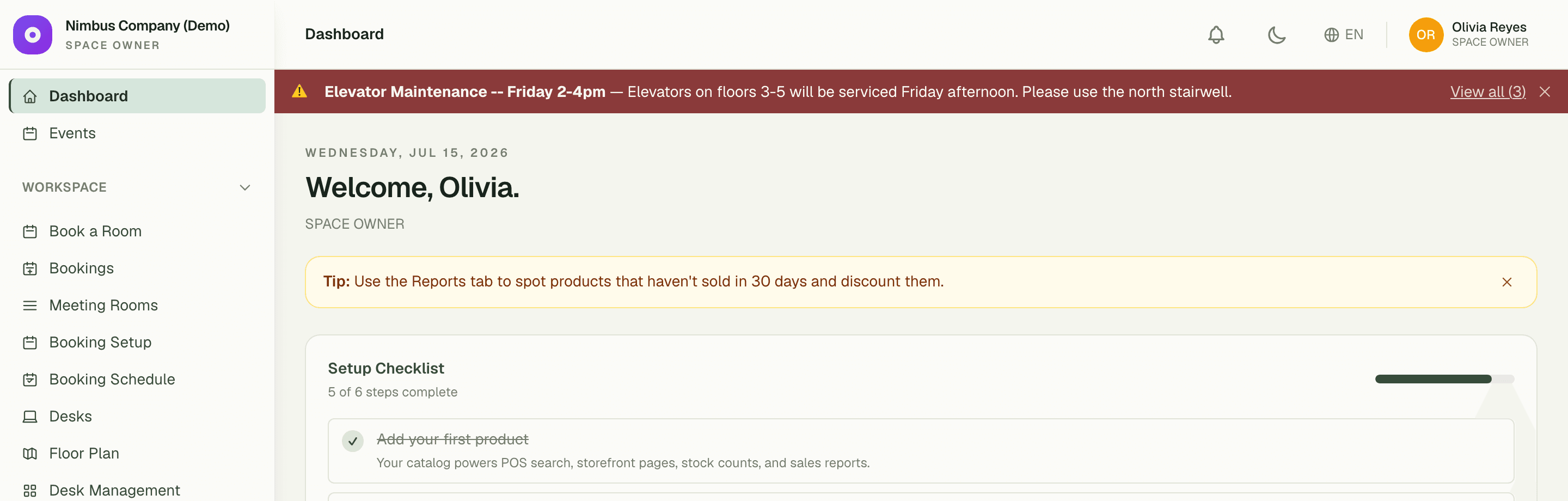
Tag a notice High, Medium, or Low and the board sorts itself. High-priority notices don't wait to be found — they surface as a banner across every member's dashboard, so "water off 2–4pm" gets seen before 2pm, not after.
- Three priority levels keep the board honest
- High-priority notices become a dashboard banner
- Members dismiss a notice once they've read it
02
The board cleans itself
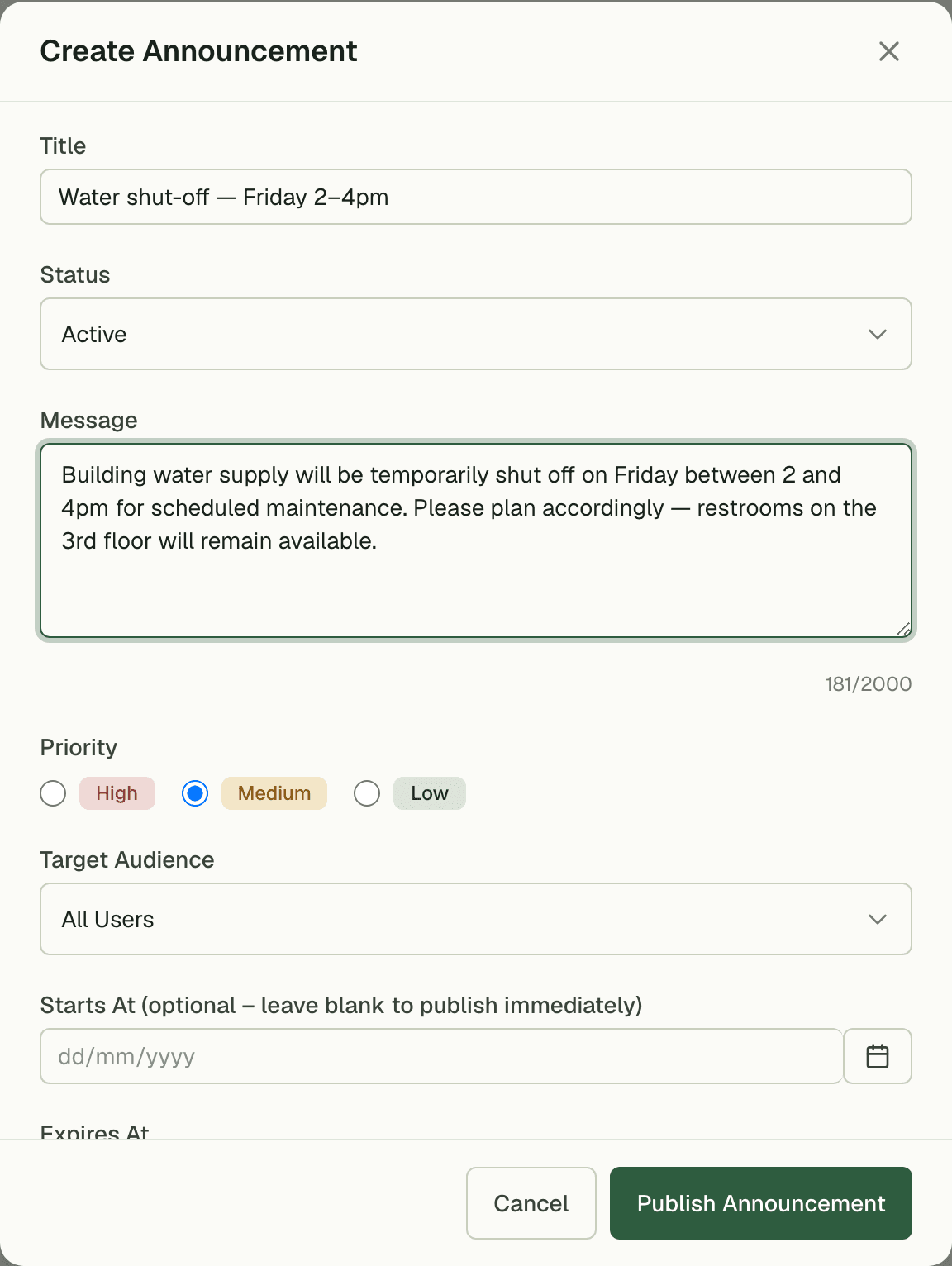
Give every notice an expiry date and stale posts retire on their own — the maintenance notice disappears once the lift is fixed. Your board only ever shows what's currently true, with no Friday-afternoon tidy-up ritual.
03
Say it to the right room
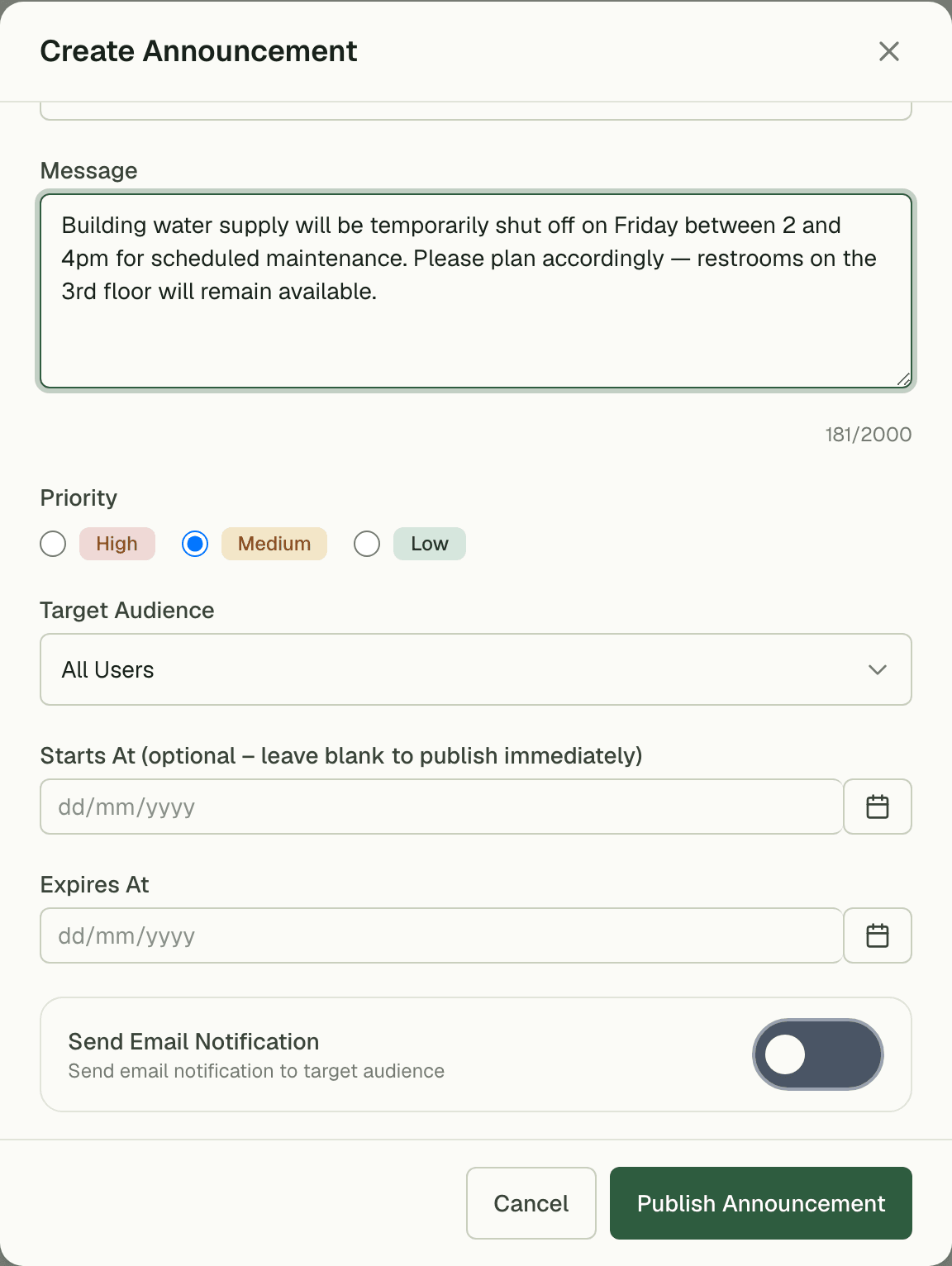
Target a notice to everyone, to company admins only, or to members — the parking-policy memo doesn't need to interrupt every desk. Flip on the optional email per notice when a post genuinely warrants an inbox hit, and skip it when the dashboard is enough.
- Audience targeting: company admins vs members
- Optional email send per notice — your call each time
- Up to 2,000 characters, enough for detail without a PDF
“We stopped emailing 'please ignore previous email' corrections. One notice, one banner on every dashboard, and it quietly removes itself when the work is done.”
Daniel Okoye
General Manager, Urban Workspace
FAQ
Common questions
How do I make sure a critical notice gets seen?
Mark it High priority. It sorts to the top of the board and surfaces as a banner on every targeted member's dashboard until they dismiss it.
Do old announcements pile up?
No — set an expiry date and the notice retires itself automatically. The board is self-cleaning: it only shows what's currently relevant.
Can I email an announcement too?
Yes, per notice. Each post has an optional email send, so building-wide urgencies can hit inboxes while routine updates stay on the dashboard.
Works better together
One need, one module
Every module shares the same customers, catalog, and books — switch one on and it plugs into everything you already run.
Switch on Announcements today.
It plugs straight into the customers, catalog, and billing you already run on SpaceOS.
Free to start · No credit card required · Cancel anytime