Resource Bookings. Book any bookable asset.
Courts, studios, pools, gyms — if you rent it by the hour, it books here. Define your own resource types, set the availability rules once, and let members reserve time slots themselves.
7 days
of availability visible at a glance
0
double-booked slots — conflicts blocked at source
$49/mo
flat — unlimited resources and types
Capabilities
Everything the module does
Resource Bookings extends scheduled booking beyond meeting rooms — to courts, studios, event halls, podcast booths, or any bookable asset your space rents out. Define each resource type, set its availability rules, and let members or staff reserve time slots.
Bookable resources
Catalog of resources grouped by type (e.g. tennis courts, recording studios).
Resource types
Configurable categories with their own slug, sort order, and default settings.
Facility scheduling
Time-slot picker honouring opening hours, buffers, and existing bookings.
Resource availability
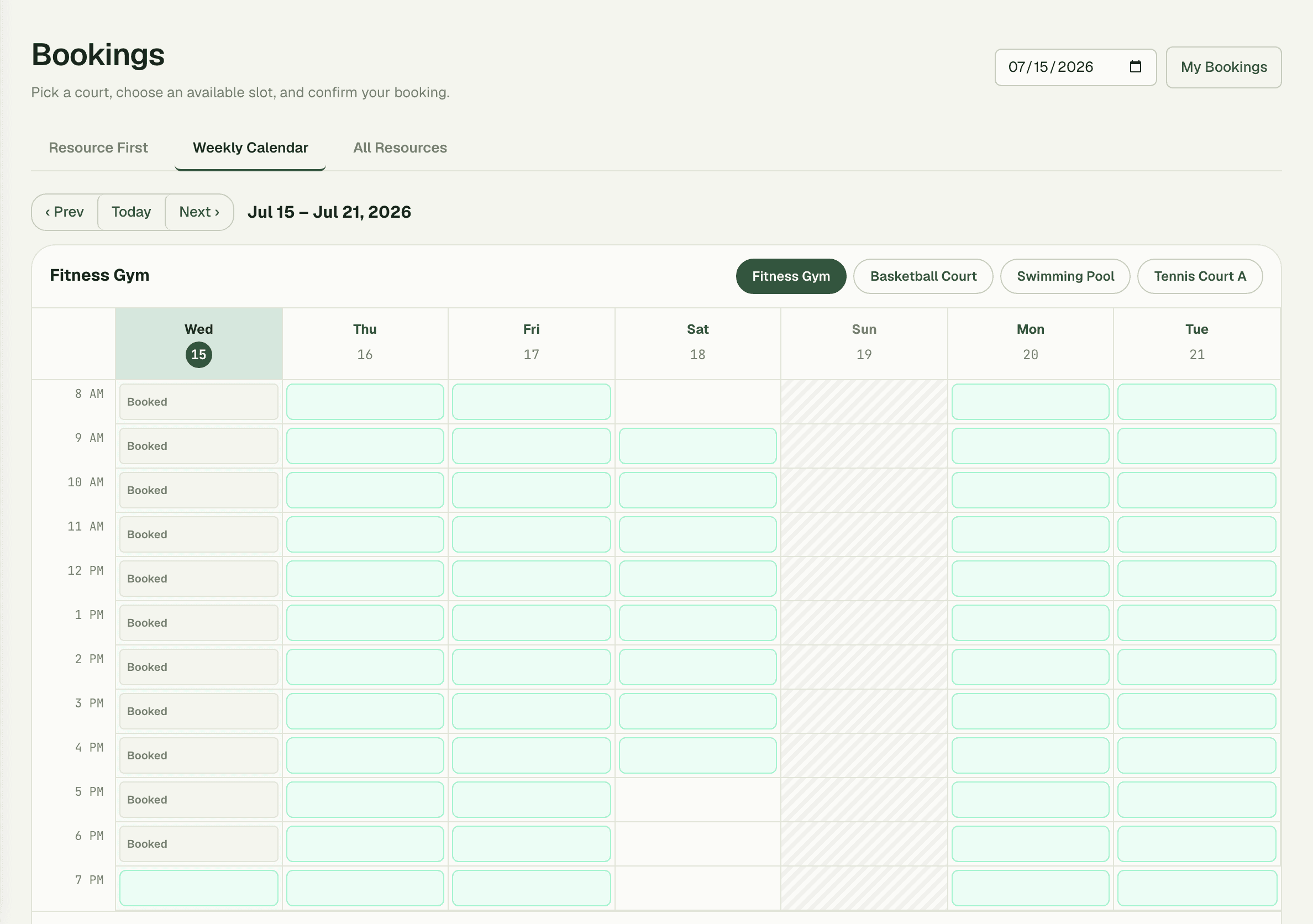
Visual day and week views per resource showing free and busy slots.
Module-gated access
Spaces without this module never see any resource UI or routes.
01
Your assets, your categories
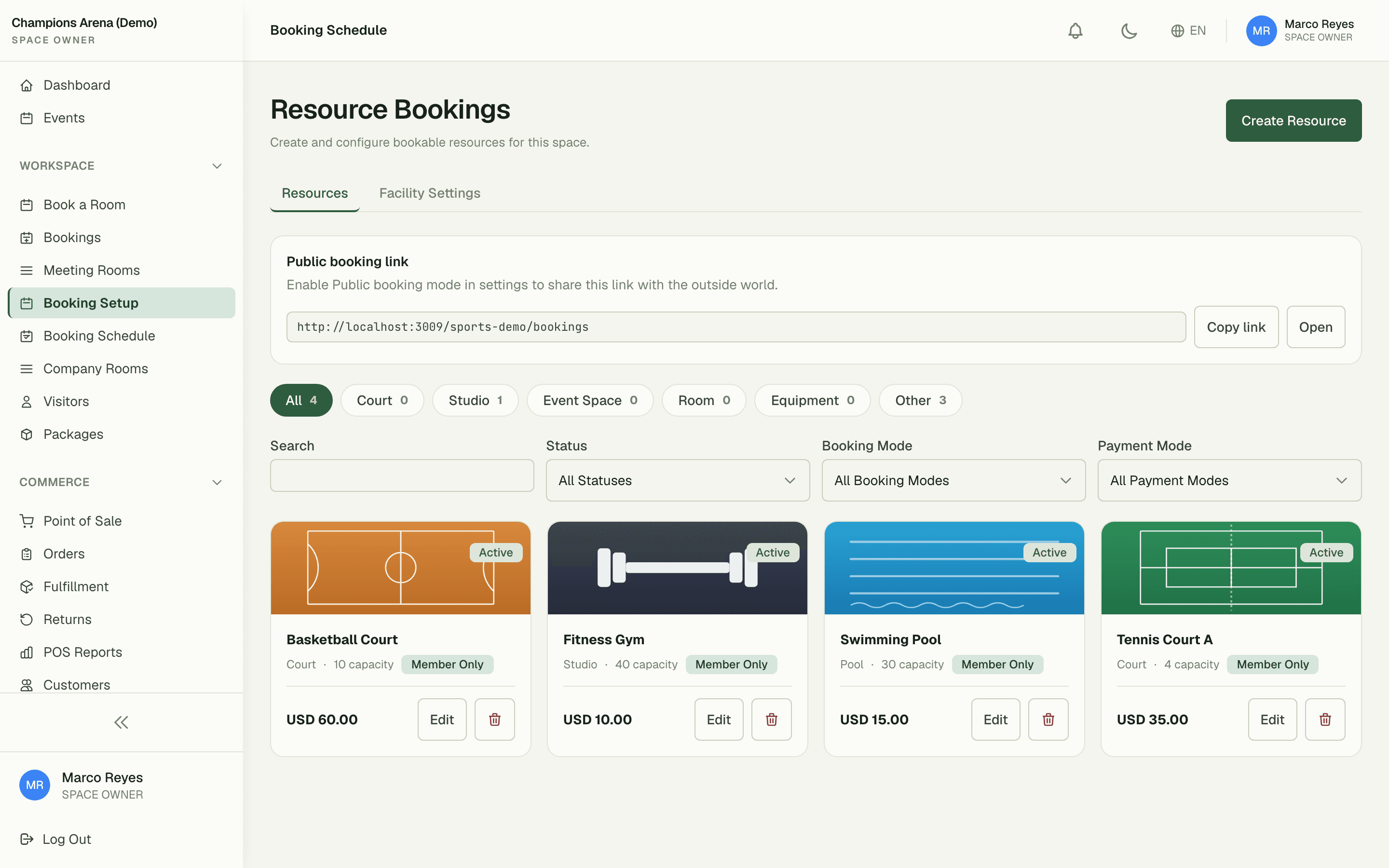
Resource types are fully configurable — a sports venue runs Basketball Court (capacity 10, $60/slot), Fitness Gym ($10), and Swimming Pool; a media space runs podcast booths and studios. Each type carries its own defaults, sort order, and pricing so the catalog reads like your business, not a generic form.
- Unlimited resource types with their own slugs and defaults
- Per-resource capacity, pricing, and description
- Spaces without the module never see a single resource route
02
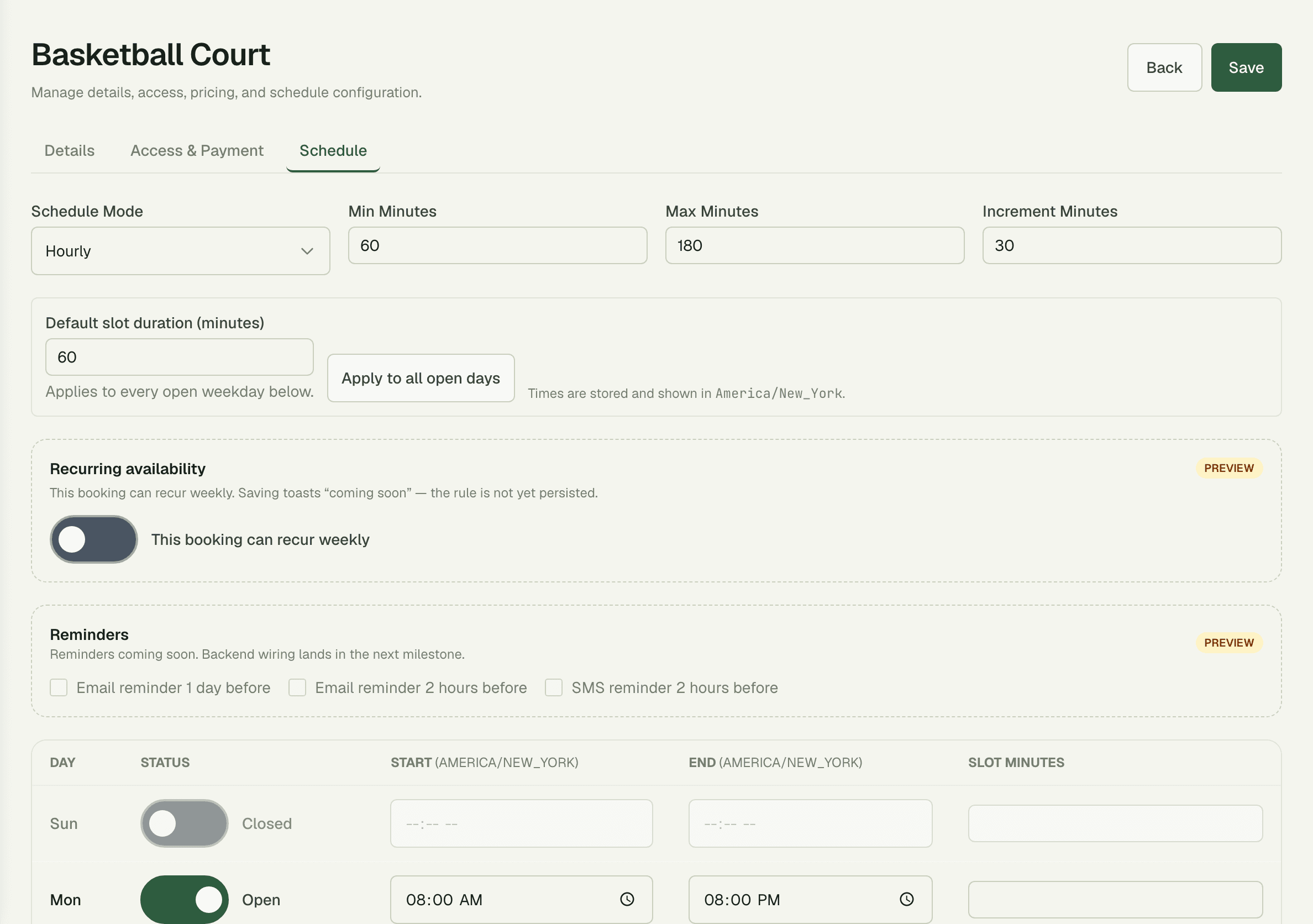
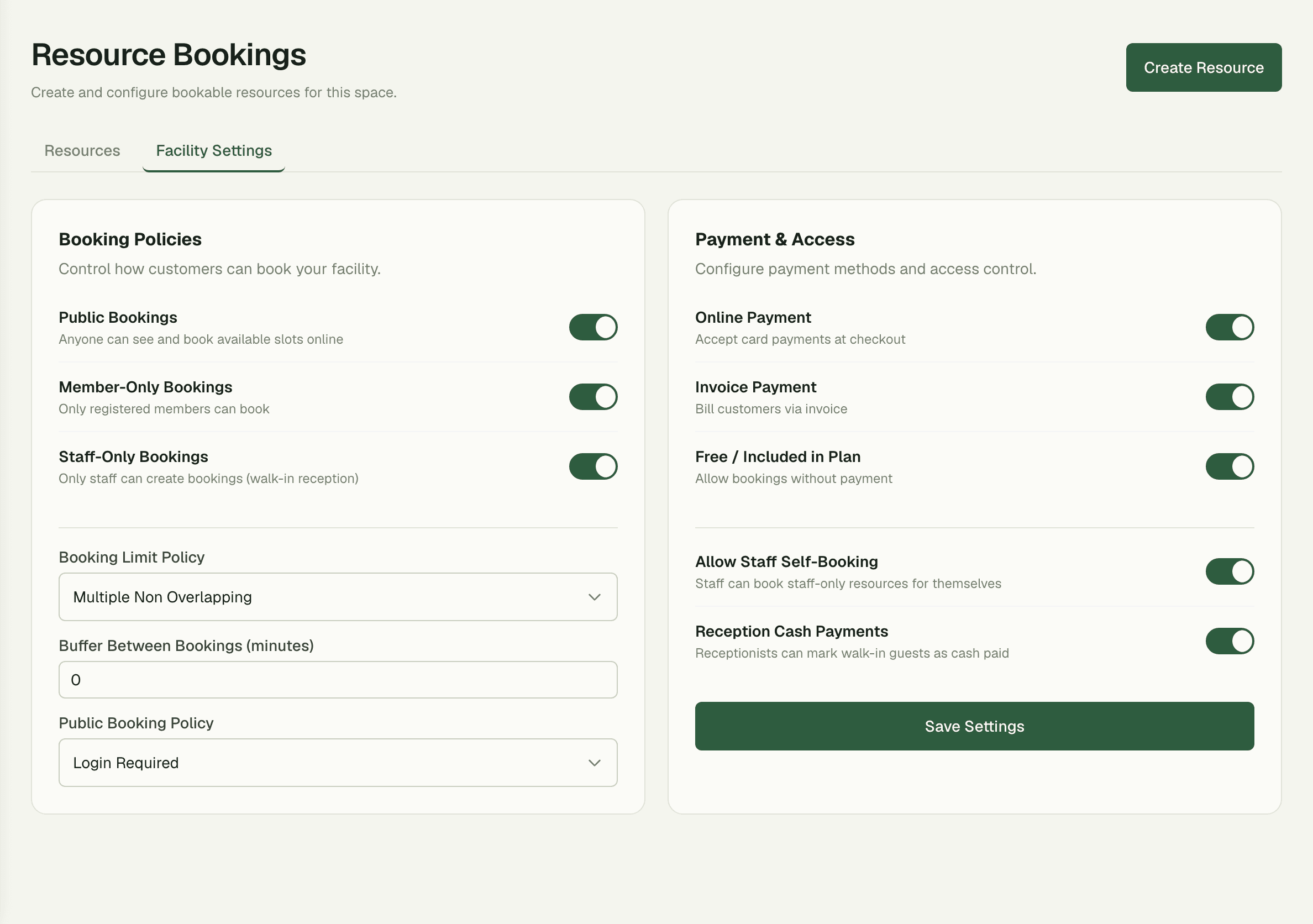
Rules set once, enforced every slot
Opening hours, buffer time between sessions, booking limits, and payment modes are configured per space and honoured on every reservation. The slot picker only ever offers times that are genuinely available — after hours, mid-buffer, and already-taken slots simply don't appear.
03
A week of availability at a glance
Day and week views show free and busy slots per resource, so staff spot the quiet Tuesday-morning gap and members grab the last evening court without calling the front desk. Confirmation takes two taps from slot to booked.
How it works
Up and running in minutes
1
Create your resource types
Define the categories you rent out — courts, studios, pools — each with its own defaults.
2
Add the resources
List each bookable asset with capacity and pricing, like a Basketball Court at $60 with capacity 10.
3
Set the facility rules
Configure opening hours, buffers between sessions, booking limits, and payment mode for your space.
4
Open the schedule
Members and staff book from the day and week views; conflicts are blocked automatically.
“Court, gym, and pool used to live in three paper diaries. Now one schedule runs all of them — members book the 7pm court themselves and the buffer rule finally gives our cleaners their fifteen minutes between sessions.”
Elena Vasquez
Facility Director, Champions Arena
FAQ
Common questions
What counts as a resource?
Anything you rent by the time slot — sports courts, studios, pools, gyms, event halls, podcast booths. You define the types, so the catalog matches your business.
Can each resource have its own price and capacity?
Yes — every resource carries its own capacity and pricing, like a basketball court at $60 per slot with capacity 10 next to a $10 gym session.
How do you prevent overlapping bookings?
The slot picker honours opening hours, buffer time, and existing reservations, so unavailable times are never offered. Conflicts are blocked at the source, not cleaned up afterwards.
Works better together
One need, one module
Every module shares the same customers, catalog, and books — switch one on and it plugs into everything you already run.
Switch on Resource Bookings today.
It plugs straight into the customers, catalog, and billing you already run on SpaceOS.
Free to start · No credit card required · Cancel anytime