Events. Fill the room.
Publish your event calendar straight to your own storefront — not a third-party ticketing page. Browsable listings, rich detail pages, ticket tiers, and RSVP, all under your brand.
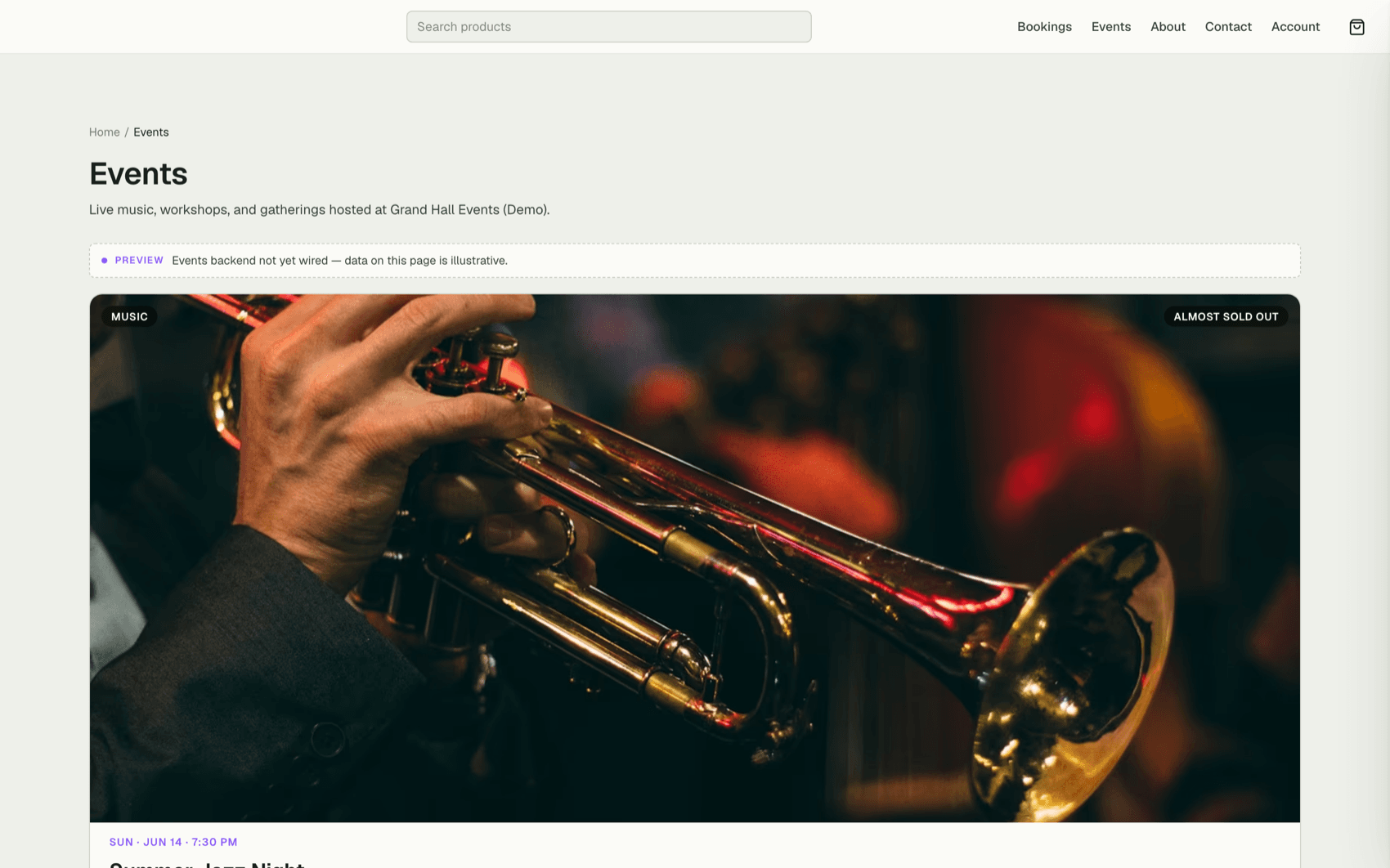
80%
sold — urgency shown right on the page
$25
starting tier on the demo headliner
0
third-party ticketing pages
Capabilities
Everything the module does
Events publishes your space's event calendar to the public storefront — anyone can browse upcoming events, view detail pages, and RSVP or register. Pair it with Ecommerce to sell paid tickets, or use it standalone for free RSVP-only events.
Event listings
Public event index with filters by date, category, and venue.
RSVP / registration
Capture attendee info with configurable required fields; capacity and waitlist enforcement.
Event detail pages
Rich detail pages with cover image, schedule, speakers, and location map.
Calendar integration
Add-to-calendar links (Google, iCal) for every event and confirmed RSVP.
01
Your event, your brand
Every event page lives on your storefront at your URL, styled by your theme — no bolt-on ticketing site with someone else's logo in the corner. Rich detail pages carry the cover image, lineup, schedule, and everything a would-be attendee needs to say yes.
02
Tiers that sell the last seats
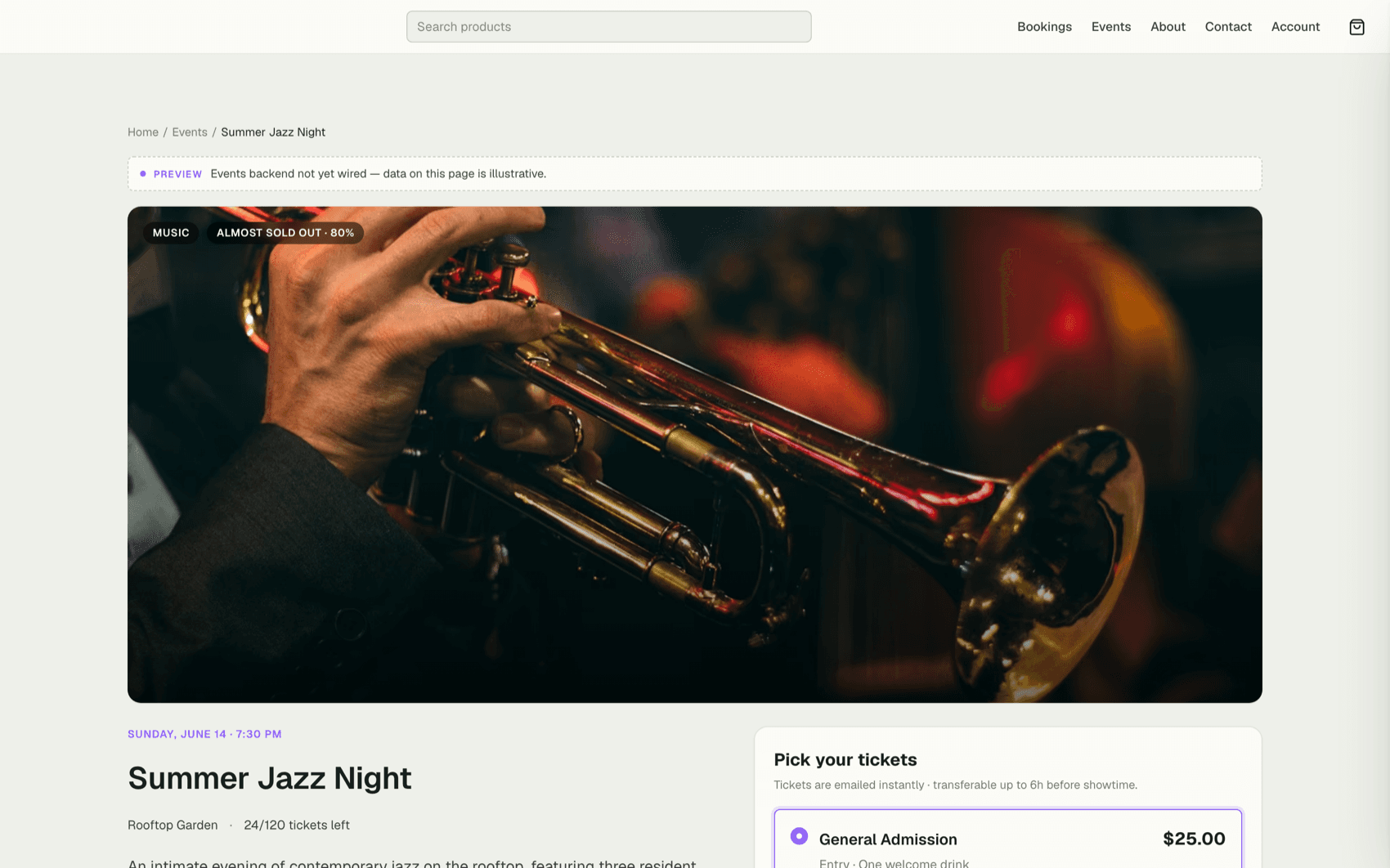
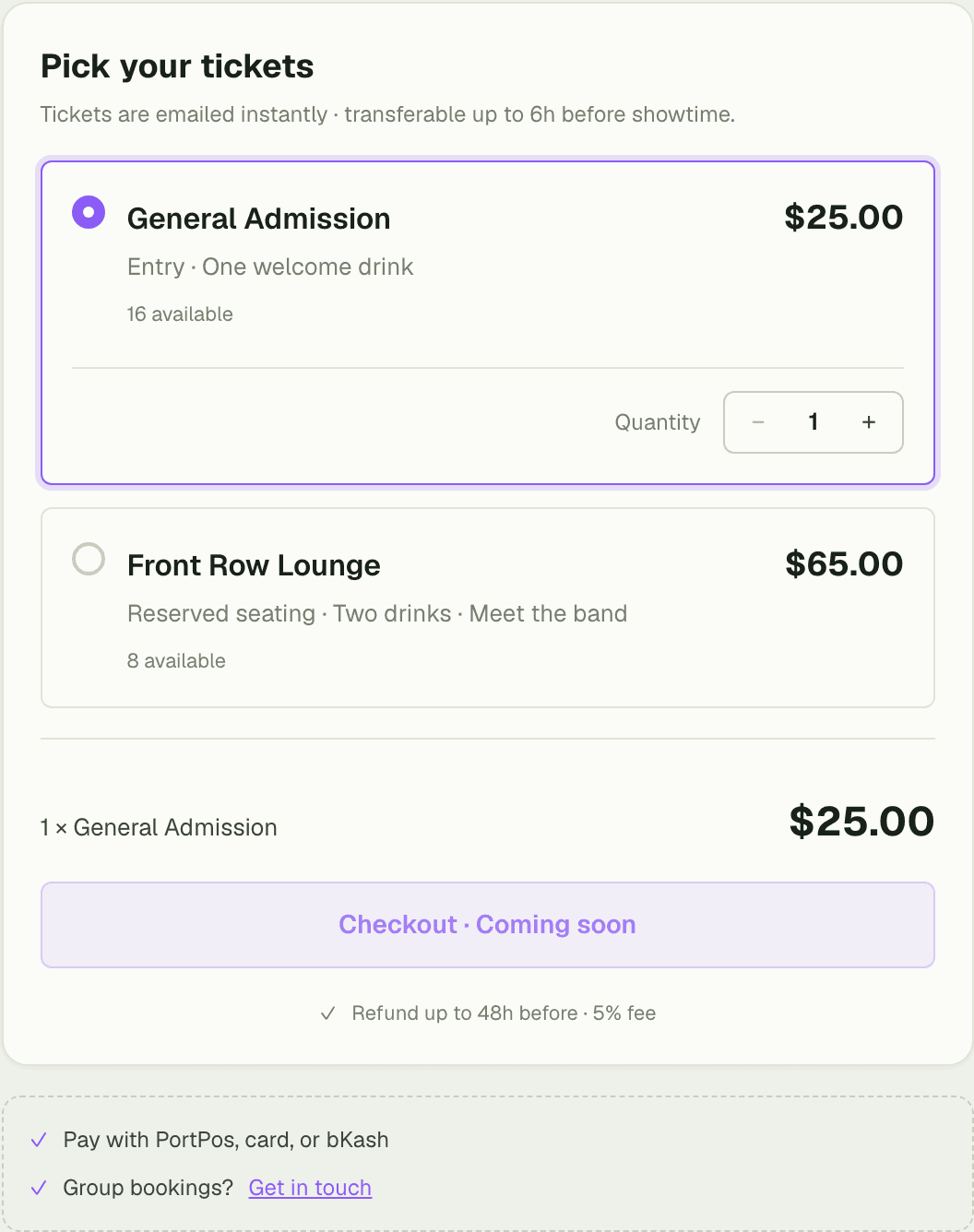
Set ticket tiers from a $25 entry price up, or keep it free RSVP-only — pair with Ecommerce when you want to charge. Live sales feed the page itself: Summer Jazz Night shows 96 of 120 tickets gone and an "Almost sold out · 80%" bar that does the persuading for you.
- Ticket tiers with per-tier pricing, or free RSVP
- Live sold-progress bar builds urgency on the page
- Capacity enforced automatically — never oversell the room
03
Easy to browse, hard to miss
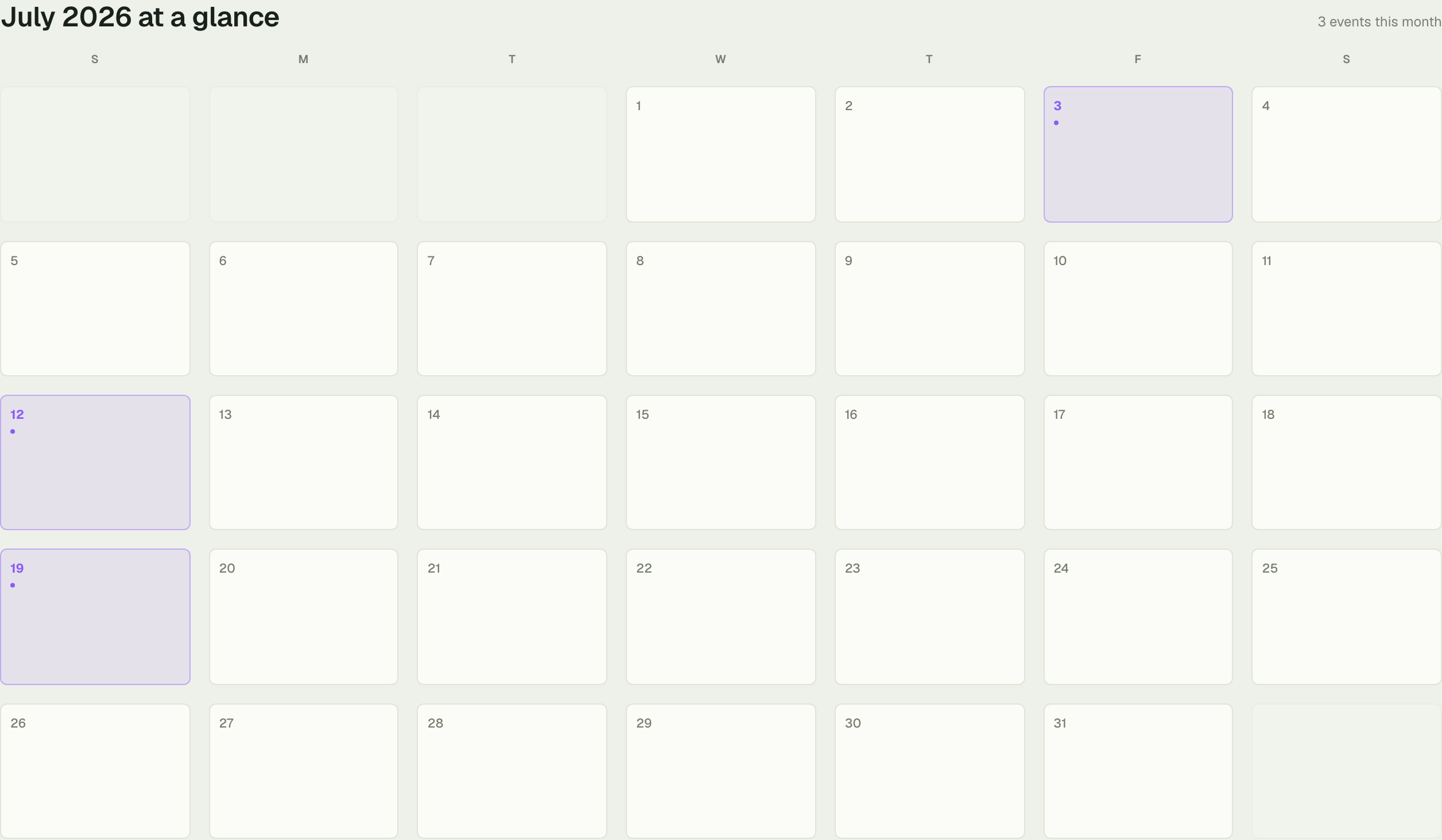
Visitors filter the listing by date and category, flip to a calendar view, and find the next thing via related-event strips on every detail page. One event discovered often becomes two attended.
“We stopped sending people off to a ticketing site that looked nothing like us. The sold-out bar on our gala page did more selling in the last week than our email blasts did all month.”
Priya Nair
Events Director, Grand Hall Events
FAQ
Common questions
Can I sell paid tickets?
Yes — pair Events with Ecommerce to charge for ticket tiers through your storefront checkout. Without it, Events runs free RSVP-only registration.
Do attendees leave my site to register?
No. Listings, detail pages, tiers, and RSVP all live on your own storefront under your brand and URL — there's no third-party ticketing page.
What happens when an event fills up?
Capacity is enforced automatically. The page shows live sold progress — like 96 of 120 tickets gone — and registration closes when the room is full.
Works better together
One need, one module
Every module shares the same customers, catalog, and books — switch one on and it plugs into everything you already run.
Switch on Events today.
It plugs straight into the customers, catalog, and billing you already run on SpaceOS.
Free to start · No credit card required · Cancel anytime