Inventory. One catalog behind every counter.
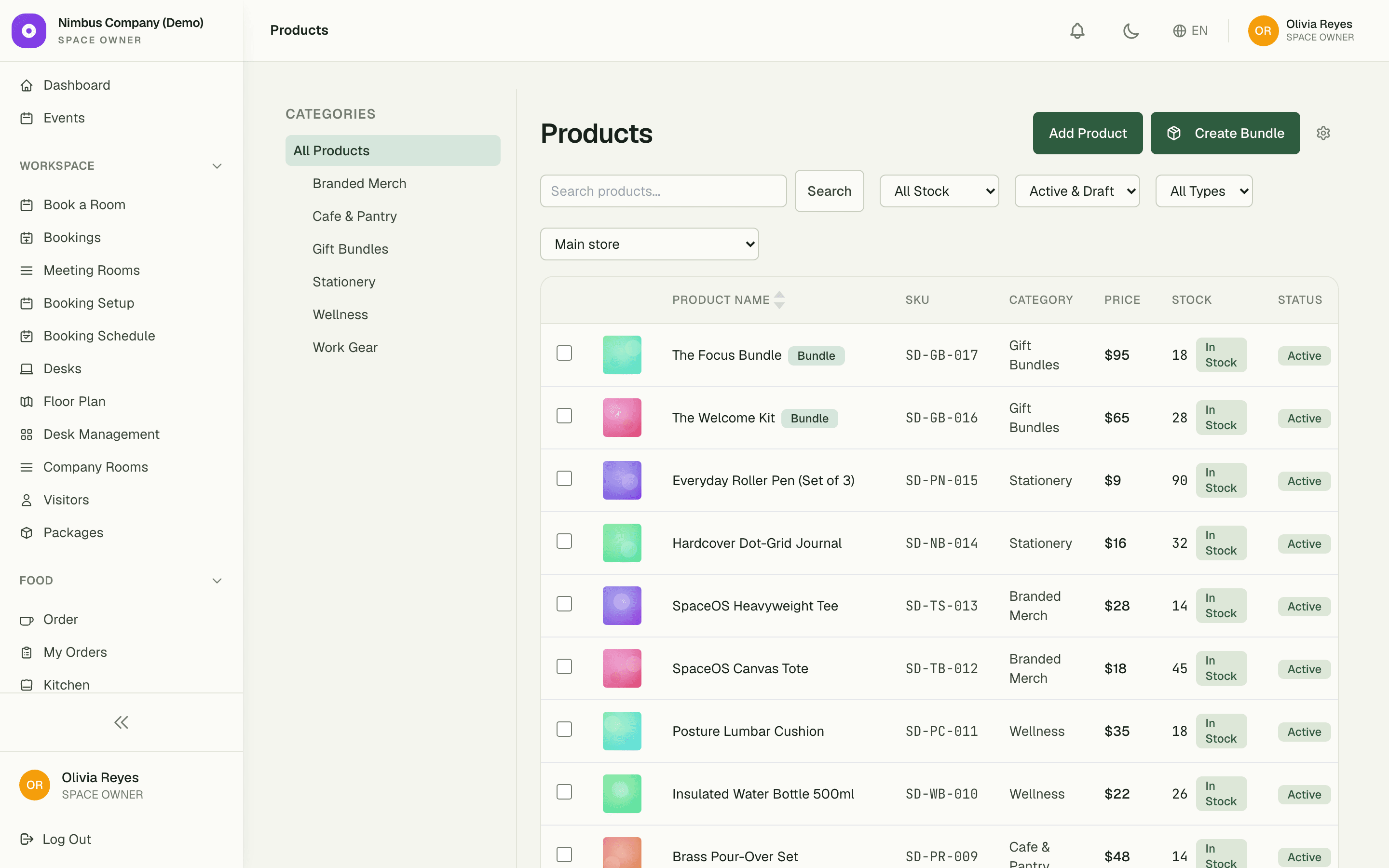
Define your products once and sell them everywhere — POS, storefront, and online orders all read the same catalog. Variants, SKUs, and stock levels stay in lockstep, so what the register says is what the shelf holds.
1
catalog behind POS, storefront, and online orders
31
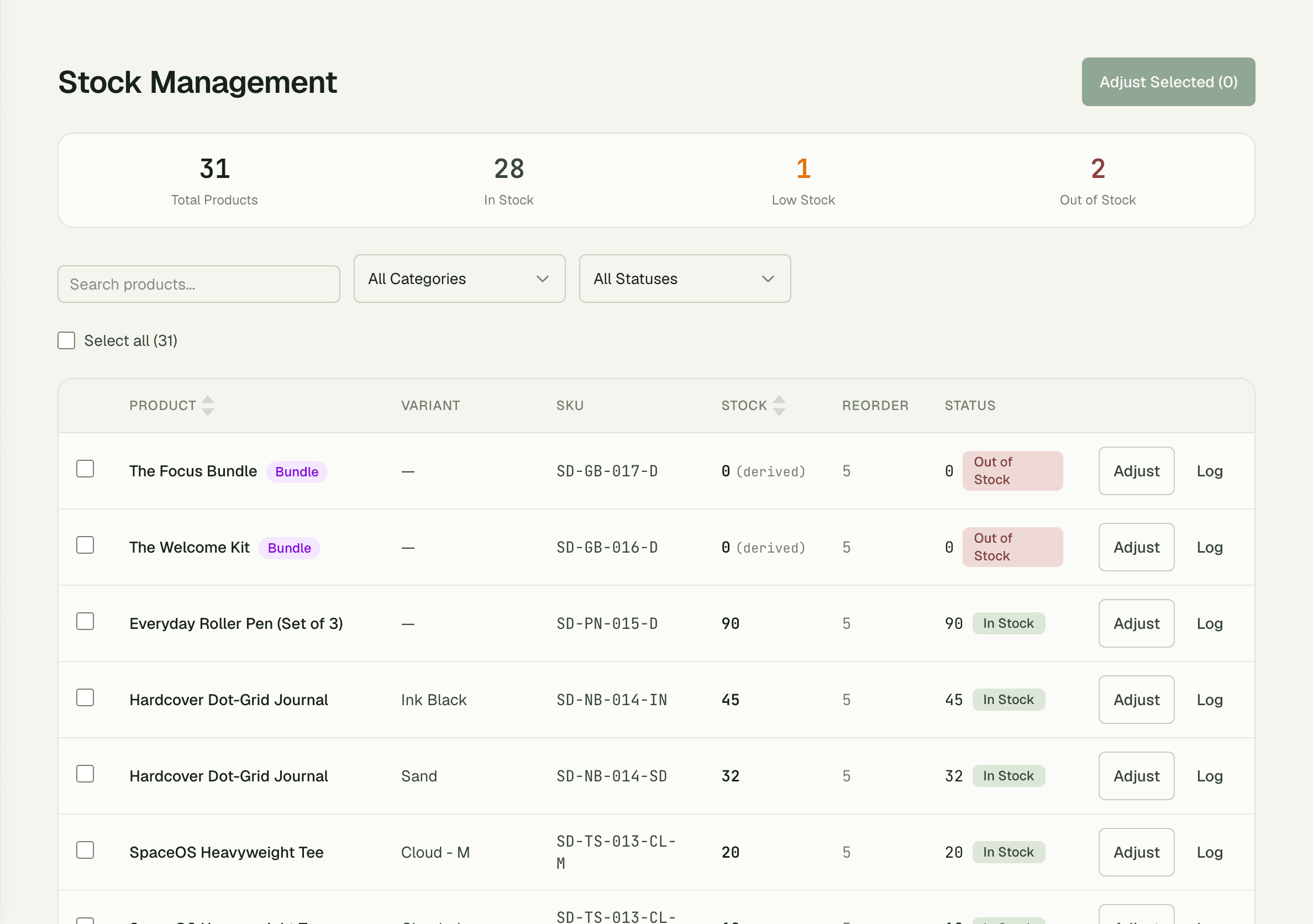
variants tracked in the live demo — 28 in stock, 1 low, 2 out
100%
of stock movements timestamped, attributed, and reason-coded
Capabilities
Everything the module does
Inventory is the product catalog behind your retail surfaces — POS, online ordering, kitchen menus. Define products with categories, variants (size/colour), and SKUs; track stock levels with full audit history; import thousands of products from CSV when migrating from another system.
Product catalog
Hierarchical categories, variants, SKUs, barcodes, and product images.
Stock tracking
Per-variant stock with adjustment audit logs and reorder-point alerts.
Category hierarchy
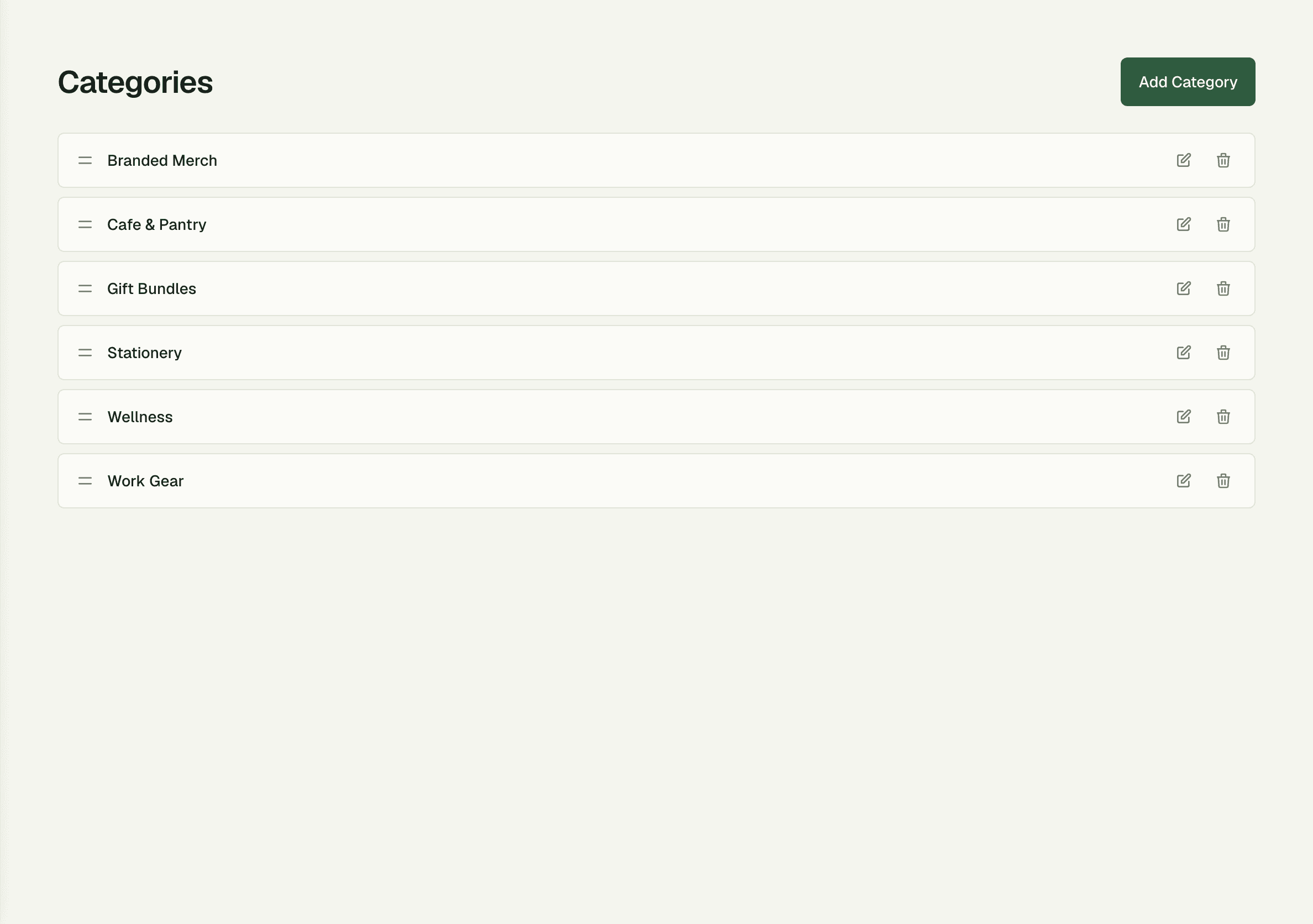
Nestable categories so a Drinks → Coffee → Espresso tree is one click away in POS.
CSV import
Bulk-load thousands of products from a spreadsheet with column mapping.
Low-stock alerts
Dashboard widget and optional email when any item falls below its reorder point.
01
Every movement, on the record
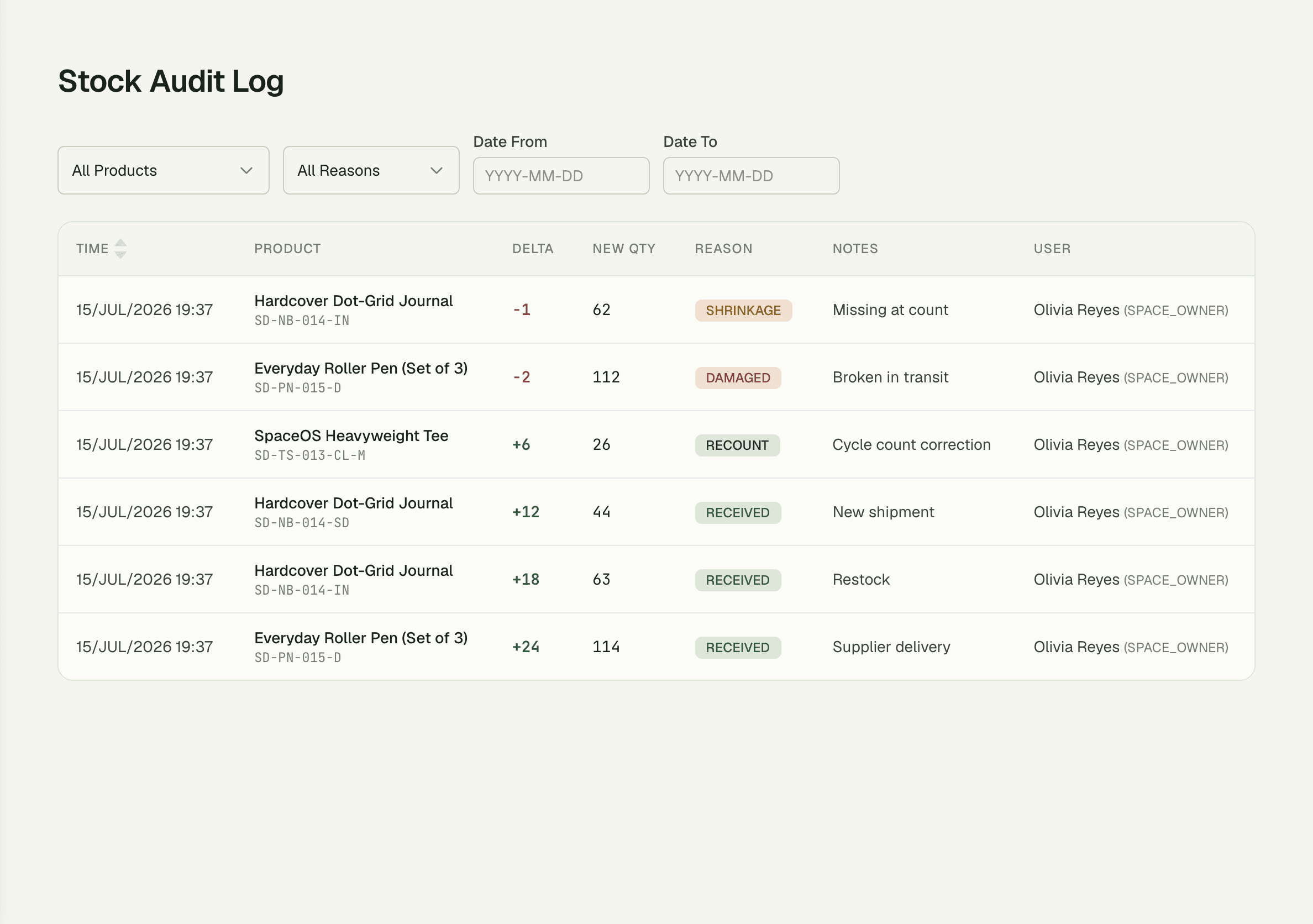
Stock never just changes — it moves for a reason, and Inventory writes that reason down. Each adjustment is timestamped, attributed to the person who made it, and coded as Received, Recount, Damaged, or Shrinkage, so a surprise count at month end takes minutes to explain instead of an afternoon.
- Reason codes: Received, Recount, Damaged, Shrinkage
- Who, when, and how much on every adjustment
- Full movement log per variant, newest first
02
Migrate thousands of products overnight
Coming from another system? Map your spreadsheet columns once and CSV import loads thousands of products — with variants, SKUs, prices, and opening stock — in a single run. The category tree keeps it browsable from day one, so staff find Espresso under Drinks → Coffee instead of scrolling a flat list.
03
Bundle stock that counts itself
Sell a gift box of six items without tracking it as a seventh product. Bundle availability is derived from its components in real time — when any ingredient runs out, the bundle shows out of stock everywhere, automatically. No phantom sales, no manual syncing.
“Our gift boxes used to oversell every holiday because nobody updated the count. Now the bundle tracks its own components — when we're out of sourdough, the box goes out of stock on its own.”
Elena Vasquez
Owner, Golden Crust Bakery
FAQ
Common questions
Can I import my existing product list?
Yes — CSV import handles thousands of products in one run. Map your spreadsheet columns to catalog fields once, and variants, SKUs, prices, and opening stock all come in together.
Does the same catalog power my online store?
Yes. POS, the storefront, and online orders all read from the one catalog, so a price change or stock-out is reflected everywhere immediately.
How do I find out why stock doesn't match the shelf?
Open the movement log. Every adjustment is timestamped, attributed to a person, and reason-coded — Received, Recount, Damaged, or Shrinkage — so discrepancies trace back to a specific entry.
Works better together
One need, one module
Every module shares the same customers, catalog, and books — switch one on and it plugs into everything you already run.
Switch on Inventory today.
It plugs straight into the customers, catalog, and billing you already run on SpaceOS.
Free to start · No credit card required · Cancel anytime